33
Chapter 4: Conguring via the web GUI DSL-N12E
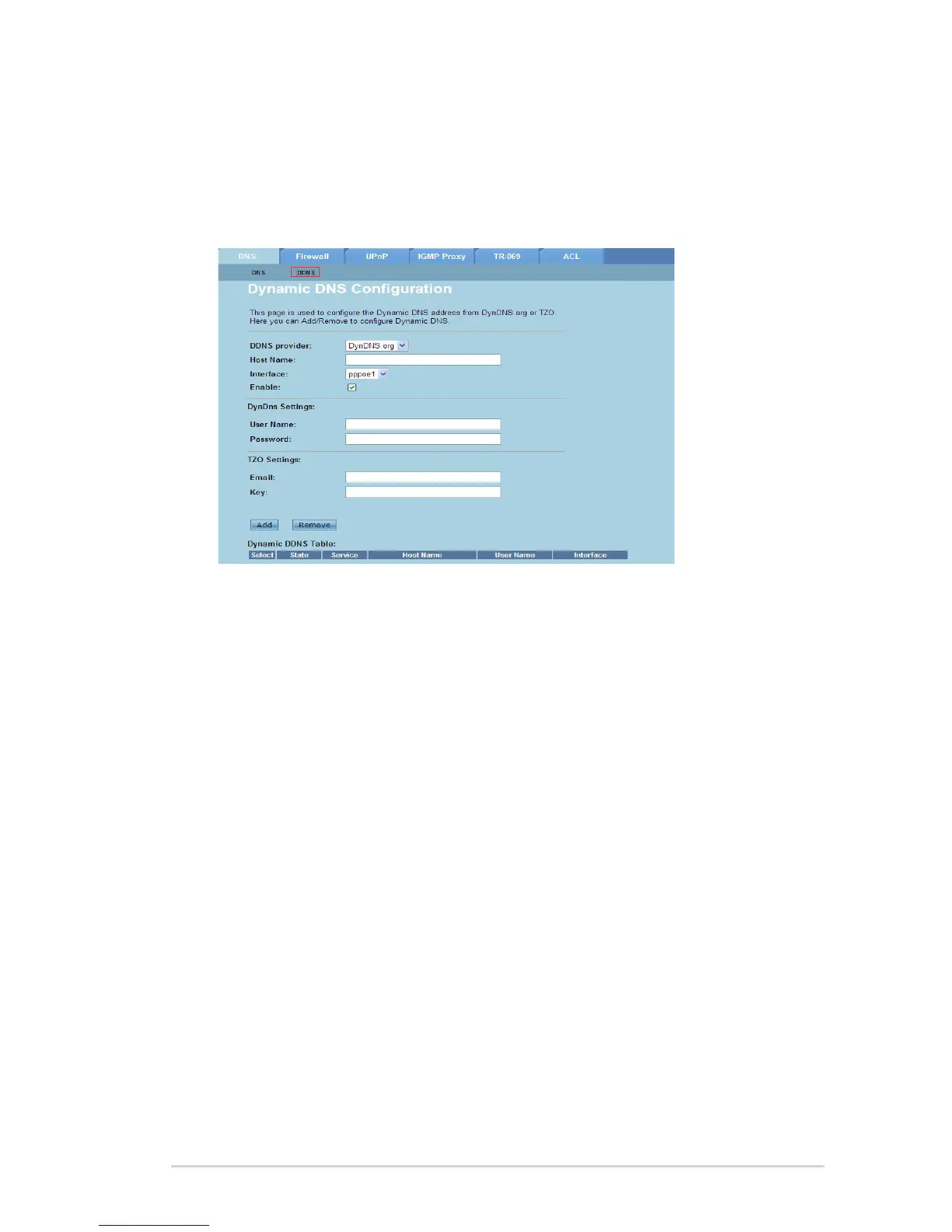
Conguring the DDNS Settings
The DDNS (Dynamic DNS) page allows you to congure the DDNS settings from
DDNS providers DynDNS or TZO.
To congure the DDNS settings:
Click Internet Service > DNS tab > DDNS.
In the DDNS provider dropdown list, select the DDNS provider.
In the Host Name eld, assign the DDNS host name.
In the Interface dropdown list, select the Internet connection type.
Key in the user name and password for the DDNS provider.
Click Add to add the DDNS settings to the DNS table.
1.
2.
3.
4.
5.
6.



 To Next Page