26
DSL-N12E Chapter 4: Conguring via the web GUI
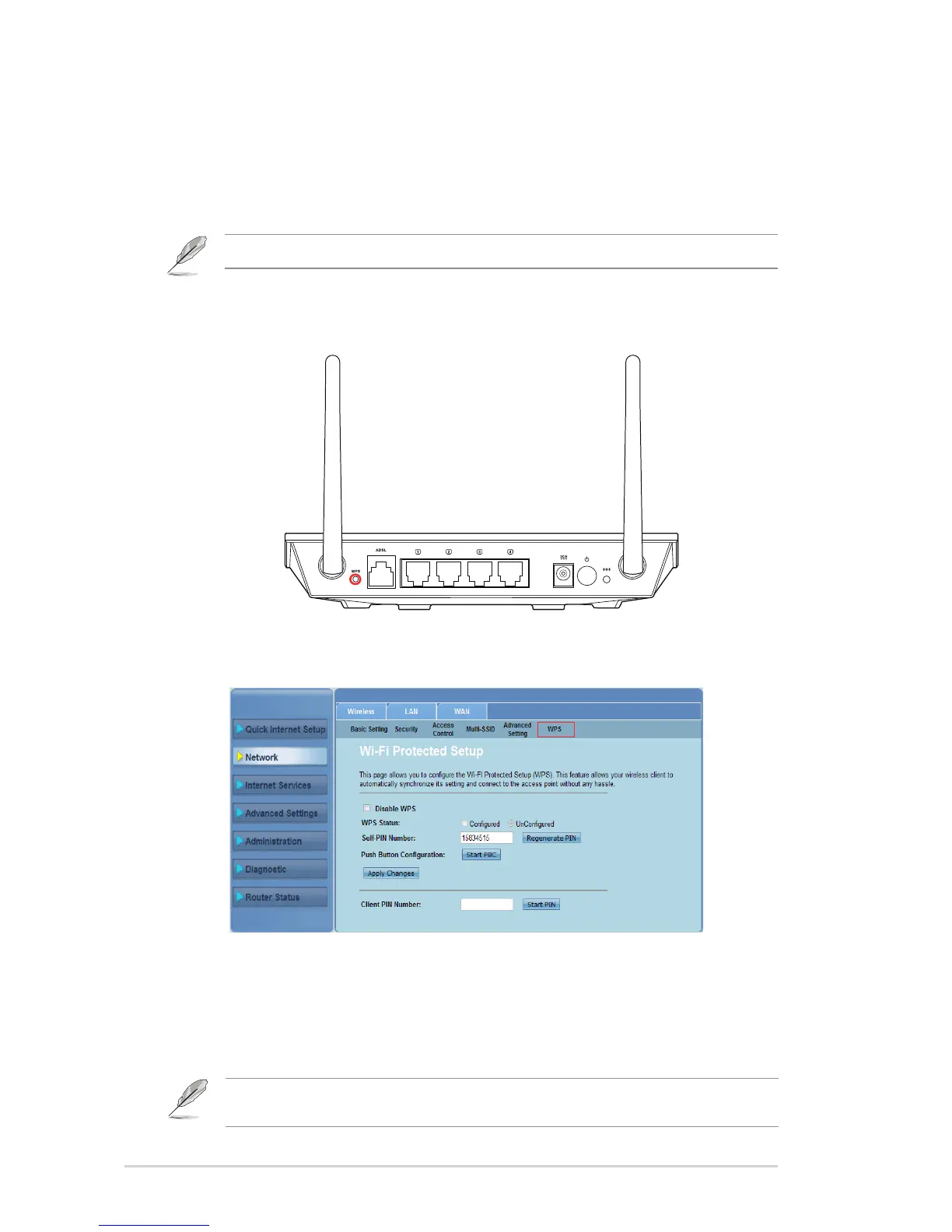
Setting up the Wi-Fi Protected Setup (WPS)
WPS (Wi-Fi Protected Setup) allows you to set up a secure and protected wireless
network easily.
Notes: Ensure that you use a wireless LAN adapter with WPS function.
To set up the WPS:
Press the WPS button on your router.
1.
Click
Network > Wireless
tab
>WPS
.
Press the WPS button on the wireless LAN card and click Start PBC.
You may also choose to key in the wireless LAN card’s PIN code, then
click Start PIN.
2.
3.
Note: Refer to the documentation that came with the wireless LAN card for the wireless LAN
card’s PIN code.



 To Next Page