2-37
ASUS ESC4000A-E10
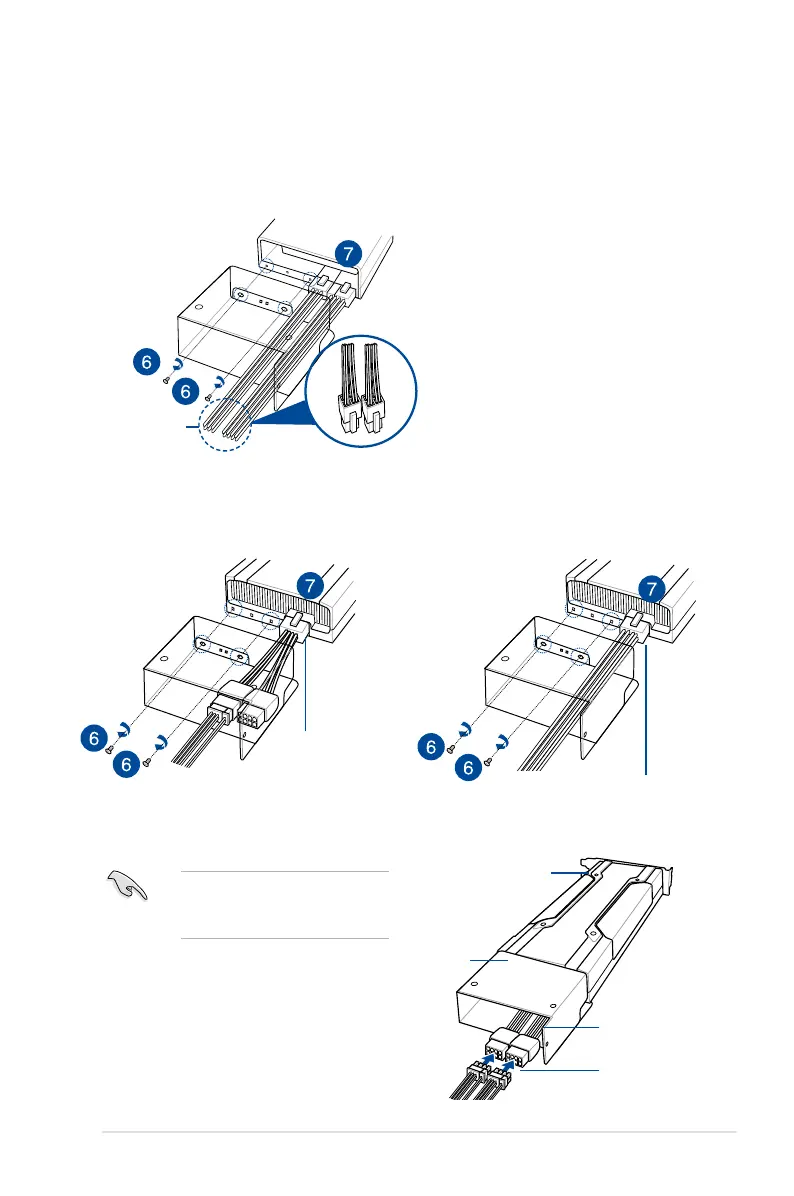
For Nvidia CPU-12V GPU card installation
dongle
6. From inside the air duct, secure the air duct to the accelerator with two screws.
7. Connect the GPU power cable, dongle, or ASUS CPU 8-pin power cable to the
connector on the accelerator as shown.
4-pin connector
Nvidia CPU-12V GPU card
air duct
dongle
GPU power cable
When using the dongle, connect a
GPU power cable to the connector
on the dongle.
For Intel/AMD/Nvidia GPU card installation
ASUS CPU 8-pin power cable
OR














 To Next Page