Chapter 2: Hardware Setup
2-38
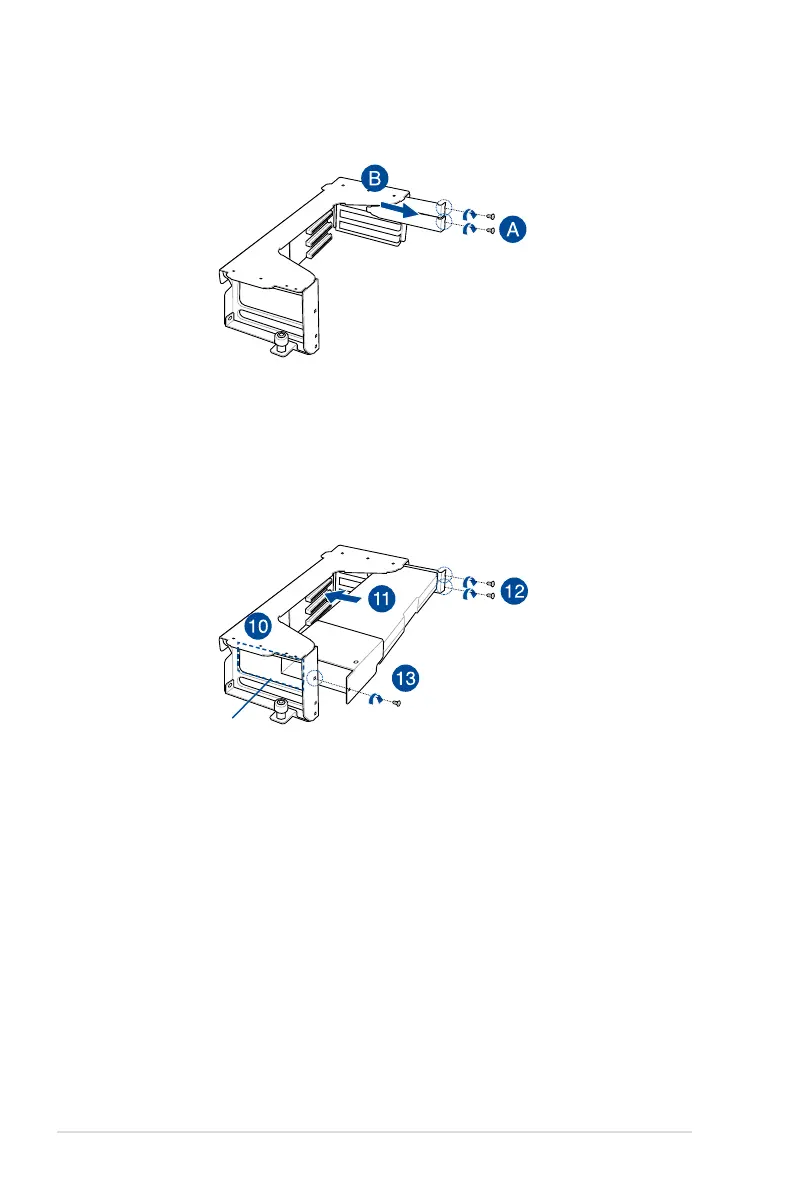
opening on the bracket
8. Get the bracket and place it on a flat and stable surface.
9. Remove the screws on the metal covers (A) then remove the metal covers (B).
10. Insert the GPU cables into the opening on the bracket.
11. Align and insert the golden fingers of the accelerator into the card slot on the bracket.
Ensure the card is completely seated on the slot.
12. Secure the rear end of the accelerator to the bracket with two screws.
13. Secure the air duct and accelerator assembly with a screw.














 To Next Page