2-39
ASUS ESC4000A-E10
14. Repeat step 4-13 if you need to install a second accelerator to the bracket.
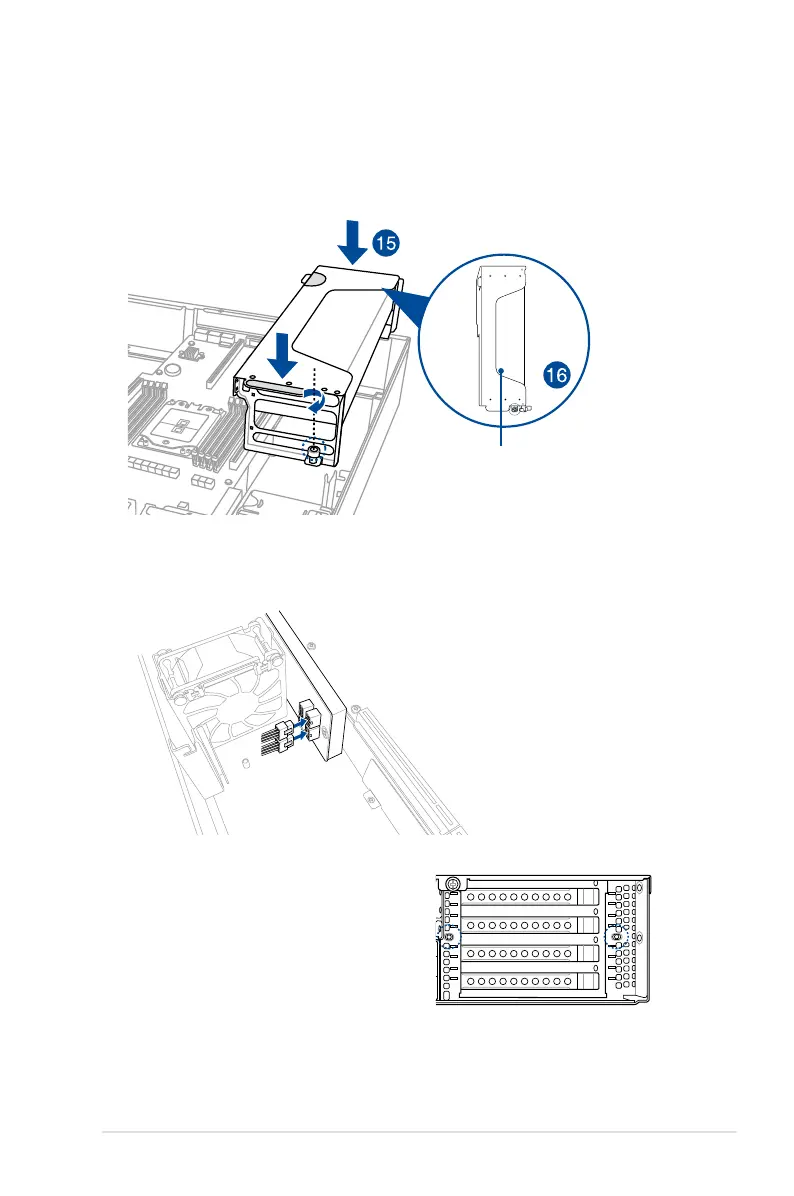
15. Align and insert the golden fingers of the accelerator bracket into the card slot on the
motherboard. Ensure the bracket is completely seated on the slot.
16. Secure the thumbscrew in front of the accelerator bracket.
17. Attach the other end of the GPU power cable (6-pin power connector) to an available
6-pin power connector in front of the accelerator bracket.
18. Secure the accelerator brackets to the
server chassis with two screws.
accelerator and
bracket assembly














 To Next Page