Chapter 2: Hardware Information
2-14
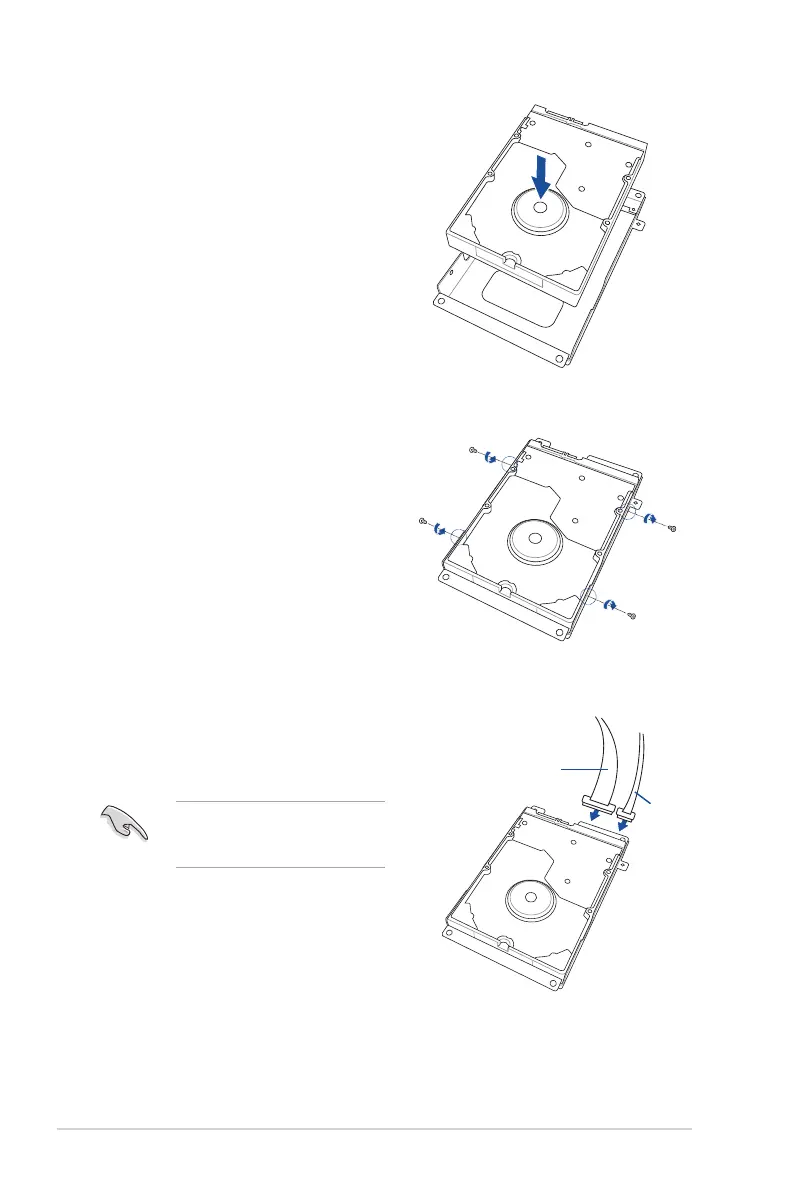
4. Inserta3.5-inchSerialATAHDD
into the HDD drive tray.
Ensure that the 3.5-inch SATA HDD
is seated securely in place.
5. Secure the 3.5-inch Serial ATA HDD
into the HDD drive tray using the
bundledsetofscrews(asshown).
UseanL-typeSATAconnectorto
connect the 3.5-inch SATA HDD to
themotherboard.
6. ConnecttheSATAsignalcableand
thepowercablefromthepower
supply to the 3.5-inch HDD.
SATA power cable
SATA signal cable






 To Next Page