RT-75 / RT-75HD US O&M
0405-073 2020-07
4 MACHINE DESCRIPTION / CONTROLS
47
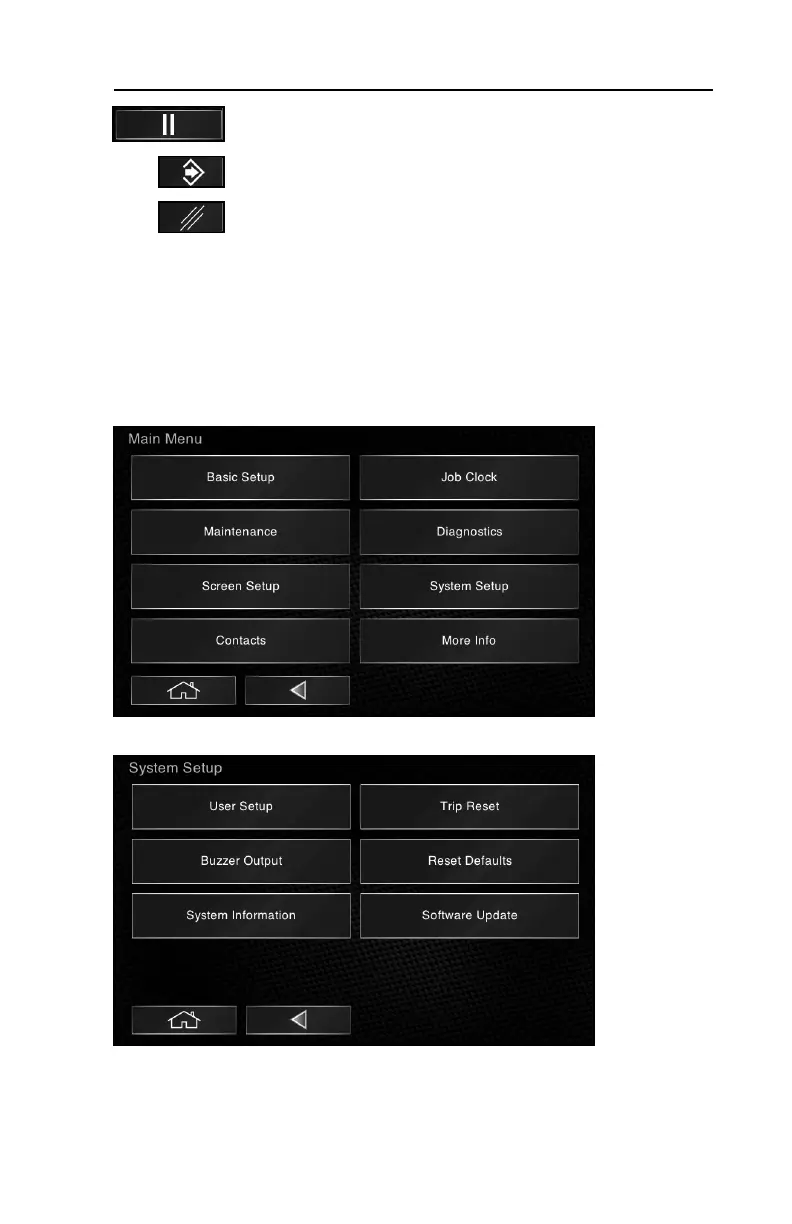
To stop a job clock, press the “pause” icon.
To confirm a selection, press the “confirm” icon when prompted.
To cancel a selection, press the “cancel” icon when prompted.
User Guide - Commonly Accessed Functions
The Main Menu (shown below) is the starting point for navigating the various
functions within the operator interface. You will start here to access the functions
discussed in this section. Note: some sub-menu items may only be accessed
from the Admin level user profile (see pg. 54).
To reset Trip Hours:
1.Select System Setup from the main menu.
2.Select Trip Reset from the System Setup sub-menu.



 To Next Page