EasyManua.ls Logo

ATEN CS1642a - User Manual

ATEN CS1642a
54 pages
Print Icon
To Next Page IconTo Next Page
Loading...
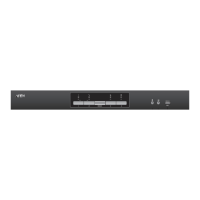
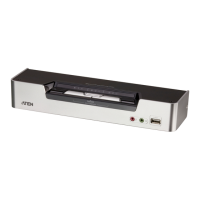
USB DVI Dual View KVMP Switch
CS1642A / CS1644A
User Manual

Table of Contents

Other manuals for ATEN CS1642a

Questions and Answers

  • D
    Debra SmithAug 11, 2025
    Why are my mouse and keyboard not responding on my ATEN CS1642a Switch?
    • A
      Amanda FrazierAug 11, 2025
      If your mouse and/or keyboard are not responding with the ATEN Switch, try unplugging the cables from the console ports and then plugging them back in. Also, the CS1642A / CS1644A may need a reset. To do this, power off all devices, then power off the CS1642A / CS1644A, wait five seconds, and then power everything back on.
  • A
    Alyssa VaughanAug 15, 2025
    What to do if USB devices are not responding on ATEN Switch?
    • S
      steven53Aug 15, 2025
      If USB devices are not responding on your ATEN Switch, there might be a few reasons. First, try unplugging the device's USB cable from the USB port on the CS1642A / CS1644A's rear panel, and then plug it back in. Also, the CS1642A / CS1644A has a built-in USB 2.0 hub, so it will not support PCs or OS that do not support USB 2.0.
  • R
    Roy WilliamsAug 20, 2025
    How to fix 'Device not recognized' error on ATEN Switch in Windows?
    • E
      Evan AllenAug 20, 2025
      If Windows doesn't recognize the device connected to your ATEN Switch, it might be a timing problem. Here’s how to resolve it: 1. Unplug the KVM cable from the computer’s USB port. 2. Go into Windows’ System Settings and remove the Unknown Device entry. 3. Plug the KVM cable back in. Windows will now recognize the device.
  • D
    Dawn ReyesAug 26, 2025
    What to do if DVI video card not responding on ATEN CS1642a?
    • P
      paul79Aug 26, 2025
      If your DVI video card is not responding with the ATEN Switch, it may not support hot plugging. Power off the PC, reconnect the DVI video card, and then power up the PC.
  • A
    Amy BestAug 30, 2025
    Why are the front panel pushbuttons not responding on my ATEN CS1642a Switch?
    • A
      Amanda MezaAug 30, 2025
      If the front panel pushbuttons on your ATEN Switch aren't responding when pushed, check the daisy chain switch on the back of the CS1642A / CS1644A. Ensure it is set to 'Host'. The 'Client' setting is only for connecting two units in a Quad-View installation.
  • S
    Scott ClementsSep 4, 2025
    Why doesn't the front panel pushbutton combo key work on my ATEN Switch after I set it?
    • N
      Nicholas HarringtonSep 4, 2025
      The [X] [Enter], [R] [Enter]. and [upgrade] [Enter] hotkeys can not be set as a front panel pushbutton combo key. Select a different hotkey to use.

ATEN CS1642a Specifications

General IconGeneral
BrandATEN
ModelCS1642a
CategorySwitch
LanguageEnglish

Related product manuals