EasyManua.ls Logo

ATEN CS62KM - User Manual

ATEN CS62KM
48 pages
Print Icon
To Next Page IconTo Next Page
Loading...
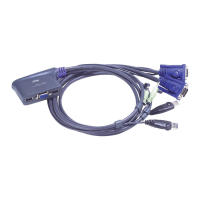
2-Port USB Boundless Cable KM Switch
CS62KM
User Manual
www.aten.com

Other manuals for ATEN CS62KM

Questions and Answers

  • K
    Karen LopezAug 6, 2025
    What to do if my ATEN CS62KM is showing erratic behavior?
    • N
      nathanmunozAug 6, 2025
      If your ATEN Switch is behaving erratically, there might be a few reasons. First, try resetting the keyboard and mouse connections by unplugging their cables from the console ports and plugging them back in. If that doesn't work, check the cable connecting the switch to the computer to ensure it's properly connected. As a last resort, power off all devices, including the ATEN Switch, wait five seconds, and then power everything back on.

ATEN CS62KM Specifications

General IconGeneral
TypeKVM Switch
Computer Connections2
Ports2
USB Ports2
Audio SupportYes
Switching MethodPush Button, Hotkey
Power Consumption5V DC, 1A
Cable Length1.8 m
Connectors Console Ports1 x USB
Connectors KVM Ports2 x HDMI, 2 x USB
CompatibilityWindows, Mac, Linux
InterfaceUSB, HDMI
Operating System SupportWindows, Mac, and Linux

Related product manuals