Chapter 2. Hardware Setup
11
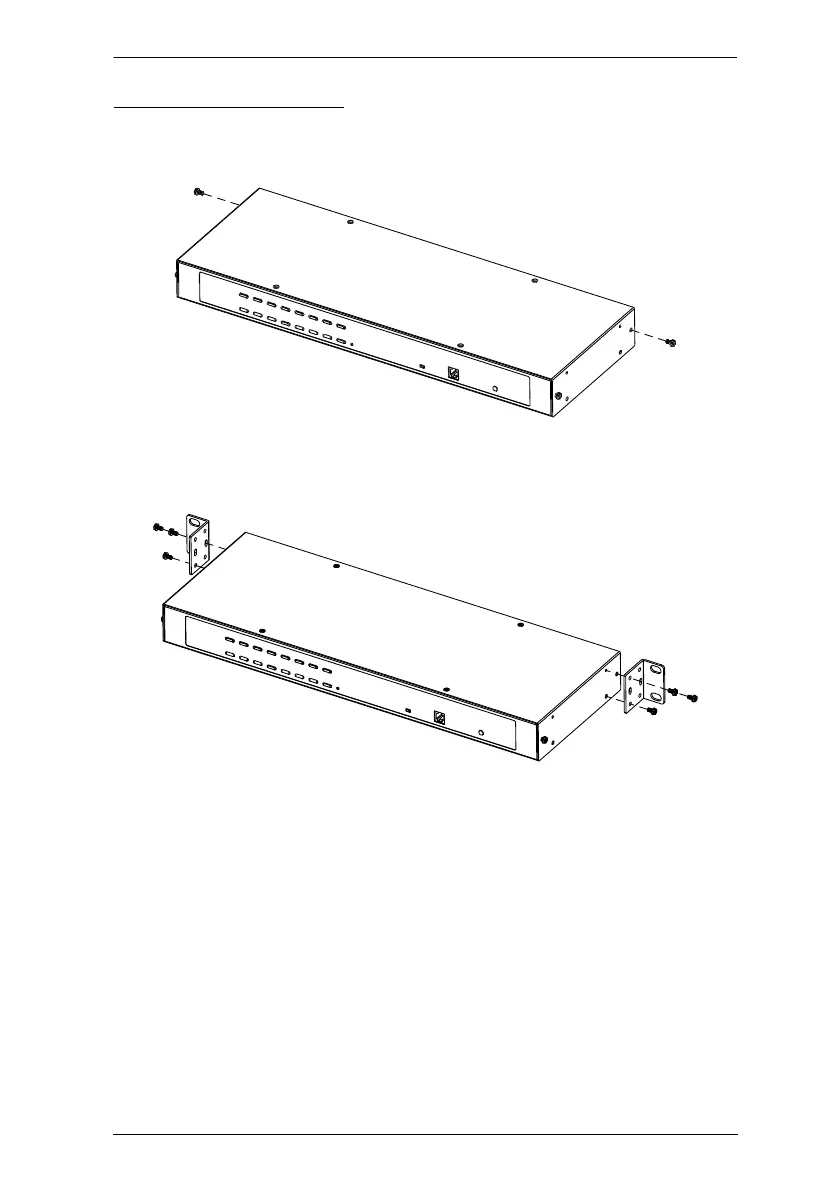
Rack Mounting – Rear
1. Remove 1 screws each from the left and right sides of the switch (2 screws
total) near the rear of the unit.
2. Use the M3 x 8 Phillips head hex screws supplied with the rack mount kit
to screw the rack mounting brackets into the sides at the rear of the unit.
(Continues on next page.)


 To Next Page
 Loading...