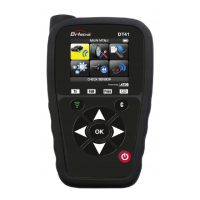
➢ a new TPMS communication protocol is available.
To update the tool, please follow the update procedure set out below.
IMPORTANT: Temporarily disable all anti-virus and spam blocking software
on your computer. This is necessary to ensure the program and drivers are
successfully installed.
3.2.2. Install the WebVT software (PC with Windows system)
1) Go to the website webvt.ateq-tpms.com to download the latest version of the WebVT
software.
2) Unzip the archive containing the software and then run the installation of the program
and the drivers.
3) Follow all the installation steps carefully and confirm when necessary.
4) Once the software has been installed, run WebVT.
5) Connect your TPMS tool to the PC with the supplied USB cable.
6) Register your product online to receive information about the latest improvements and
new features of your tool.
7) Follow the update instructions displayed on screen.
8) Wait for the update procedure to complete, this can take 10 minutes, do not
disconnect the tool or the PC during the update procedure.
9) The WebVT software will let you know when the update is finished. You will now be able
to use your tool again.
3.2.3. Important points to respect when updating the software
1) Make sure that the battery is fully charged before updating.
2) Before connecting the tool to your PC, make sure you have properly installed and run
the WebVT software on your PC.
3) Make sure that the PC is correctly connected to the internet so that WebVT can
automatically download the software and database updates for the tool.
4) Temporarily disable all anti-virus programs which could block internet access for the
WebVT software.
5) The WebVT software is only available for Windows PC platforms.
Warning!
Do not disconnect the tool from your PC or turn off your computer during the
update process. This may result in serious damage to the tool.


 To Next Page