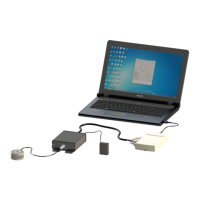
Manual, F/T Sensor, Ethernet Axia
Document #9610-05-Ethernet Axia-09
Pinnacle Park • 1031 Goodworth Drive • Apex, NC 27539 • Tel:+1 919.772.0115 • Fax:+1 919.772.8259 • www.ati-ia.com
86
14.3 Errors with the Java
®
Demo
Table 14.3—Java
®
Demo
Symptom Cause and Resolution
Demo displays zeros for force
and torque values and displays
questionmarksforconguration
data.
Check IP address and restart demo.
Excessive IO exception: Receive
timed out errors
The Ethernet connection was interrupted. Check Ethernet cabling and
Axia sensor power.
Error message: IO exception:
<pathandlename>(The
processcannotaccessthele
because it is being used by
anotherprocess)
Selectedlefordataisinusebyanotherprogram.Closeleorchange
lenameandselectCollect Streaming again.
The following message appears
in a window titled Java
®
Virtual
MachineLauncher:“Couldnotnd
the main class. Program will exit.”
Computer requires a newer version of Java
®
. Download Java
®
from
www.java.com/getjava.
14.4 Errors with Ethernet Axia Webpages
Table 14.4—Web Pages
Symptom Cause and Resolution
The Invalid Request page
appears.
One or more entries on the previous web page were invalid or out of
range. Go back to the previous page and review the last entry. Make
only one change at a time to make debugging easier.
The HTTP 1.0 401 Error -
Unauthorized page appears
The user tried to access one of the protected pages of the web server.
These pages are reserved for ATI Industrial Automation maintenance.


 To Next Page
 Loading...