16
4.2.5 Light sources
) Do not look directly into the light outlets.
) Because of the high energy of the light there is a large
amount of heat emission at the point of the optical
system.
) Switchthelightowhenyoudonotrequirethelightover
a prolonged period of time.
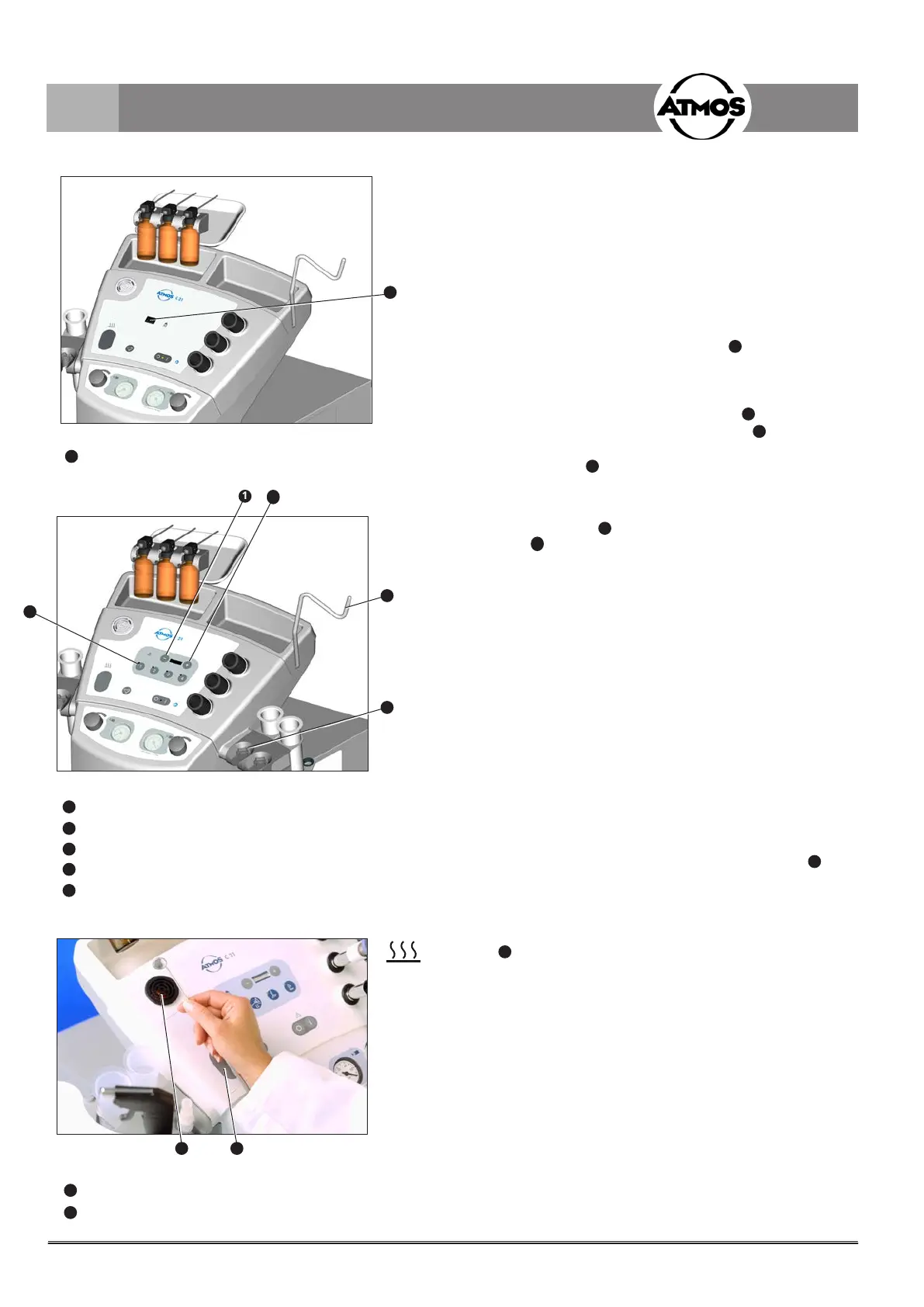
Light package LED economy:
• Select the light source with the switch
1
(g.12).
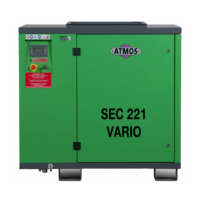
Light package 2-channel with 2 or 4 channels:
Switch on
• Remove the light guide from the holder (
4
,g13)orthe
headlight from the headlamp suspension (
3
,g13).
) You can manually switch on the light source with the
buttons 1 to 4 (
5
,g.13).
Intensity control
• Switch on the light source.
• Press the button
1
(g.13),toreducethebrightnessor
press
2
, to increase the brightness.
) Whenthedeviceisswitchedothelastadjustmentwill
be kept.
Fig. 12. Light package LED economy:
Switch for selecting the light source
Fig. 13. Light package 2-channel with 2 or 4 channels:
Reduce brightness
Increase brightness
Headlamp suspension
Holder for the light guide
Selection of the light channel
4.2.6 Mirror quick-heater
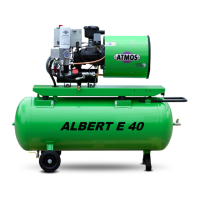
• Switch on the mirror quick-heater with key switch (
2
,g.
14). The mirror quick-heater heats up for 10 seconds and
thenswitchesoautomatically.
• Supply voltage of the heating coils: 6 V / 15 A.
• Hold the mirror to be heated over the burning heating coil
(
1
,g.14)locatedbeneaththesafetycover.
) Prior to use of the mirror, always check its temperature
(with hand etc.)!
) Automatic switching to avoid overheating!
) Safety cover, sleeve and heating element might be very
hot. Do not touch directly after heating-up (hot)!
• Changing the heating coil, see chapter 6.4.
Fig. 14. Mirror quick heater
Heating coil
Push-button
4.0 Operation
1
1
4
3
2
5
1 2
1
1
2
3
4
5
1
2


 To Next Page