Machine’s hourmeter: displays the number of operating hours of the combustion engine
Machine’s software version
Main interactive Zone on home screen:
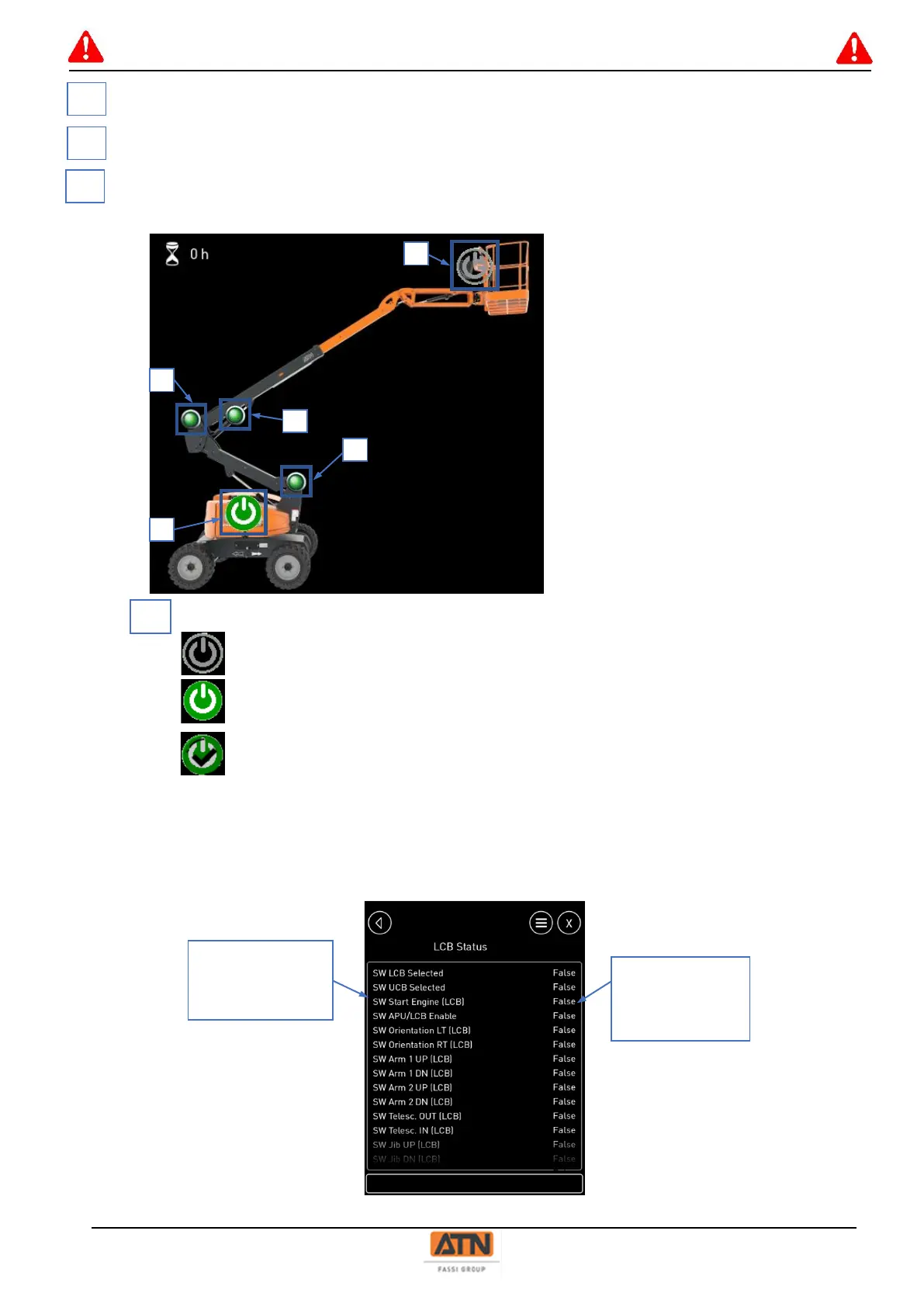
Condition of the machine fully lowered (green lights) and lower control station active.
Selected control station indicator (key switch)
Control station not selected
Control station selected
Control station selected and active (enable button depressed on lower control station,
pedal depressed for upper control station)
Clicking on one of the control stations gives access to the conditions of all inputs/outputs of the control station
(buttons, joysticks, indicators).



 To Next Page