Digital Video Recorder
7
Chapter 3 — Configuration
NOTE: Your DVR should be completely installed before proceeding. Refer to Chapter 2 — Installation.
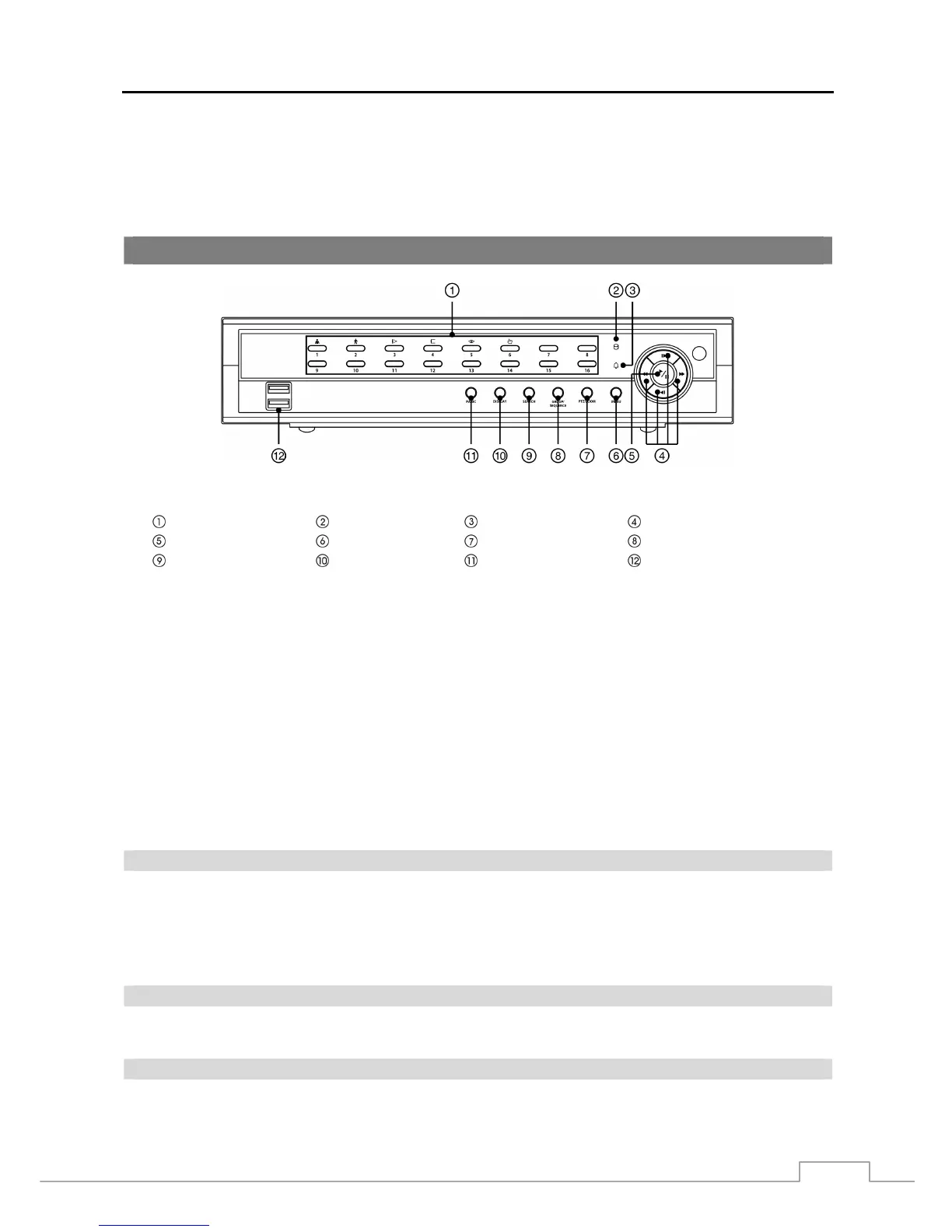
Front Panel Controls
Figure 3: DVR front panel.
Camera Buttons HDD LED Alarm LED Arrow Buttons
Play/Pause Button Menu Button PTZ/Zoom Button Group/Sequence Button
Search Button Display Button Panic Button USB Port
The front panel looks and operates much like a VCR combined with a multiplexer. Many of the buttons have multiple
functions. The buttons on the infrared remote control, while laid out differently, perform the same functions as those
on the front panel. The following describes each button and control. Take a few minutes to review the descriptions.
You will use these to initially set up your DVR and for daily operations.
NOTE: A separate Alarm button on the front panel is not provided. Pressing any button on the front panel resets
alarm output including the internal buzzer when the alarm is activated. However, when you are in the
menu or PTZ mode, you have to exit the menu or PTZ mode first to reset alarm output.
The infrared sensor on the DVR is just to the right of the arrow buttons. Make certain that nothing blocks
the sensor, or the remote control will not function properly.
When you use wireless communication devices (such as Wi-Fi or Bluetooth) near the DVR, the remote
control might not function properly.
You can also use a USB mouse (not supplied) to navigate through the screens and menus much like
you would on a computer.
Camera Buttons
Pressing the individual camera buttons will cause the selected camera to display full screen. Buttons 1 to 9 are also
used to enter passwords.
In the PTZ mode, pressing the button 1 zooms in the screen and the button 2 zooms out the screen, pressing the button
3 focuses near and button 4 focuses far, and pressing the button 5 moves to the preset and button 6 saves the preset.
HDD LED
The HDD LED flickers when the DVR is recording or searching video on the hard disk drive.
Alarm LED
The Alarm LED is lit when alarm output or internal buzzer is activated.



 To Next Page