Digital Video Recorder
31
Event Setup
Motion
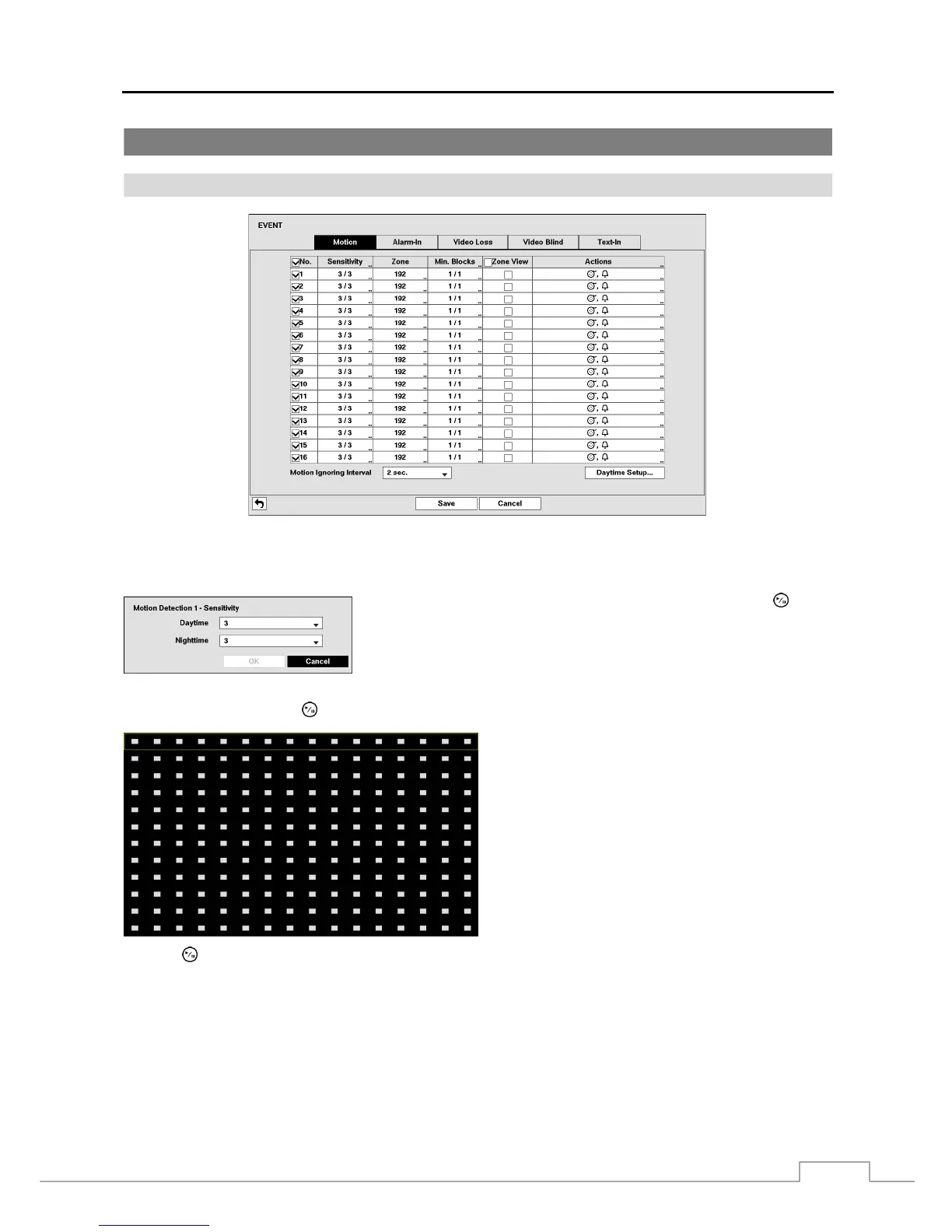
Figure 17: Event – Motion setup screen.
Your DVR has built-in video motion detection. Video motion detection can be turned On or Off for each camera.
Highlighting the box under the Sensitivity heading and pressing the
button
allows you to adjust the DVR’s sensitivity to motion for Daytime and Nighttime
independently. There are five settings with 1 being the least sensitive and 5
being the most sensitive.
You can define the area of the image where you want to detect motion; e.g., a doorway. Highlight the box under the
Zone heading, and press the
button. The Motion Zone screen displays.
The Motion Zone screen is laid over the video for the
selected camera. You can set up motion zones by
selecting or clearing blocks.
NOTE: You can set up motion zones one block at
a time in groups of 16 individual block groups. A
block group is positioned within the image area using
the Up and Down arrow buttons, and individual
blocks within the block groups are selected or cleared
using the camera buttons.
Press the button to display the menu screen. The menu on the setup screen has the following functions:



 To Next Page