Digital Video Recorder
25
Storage
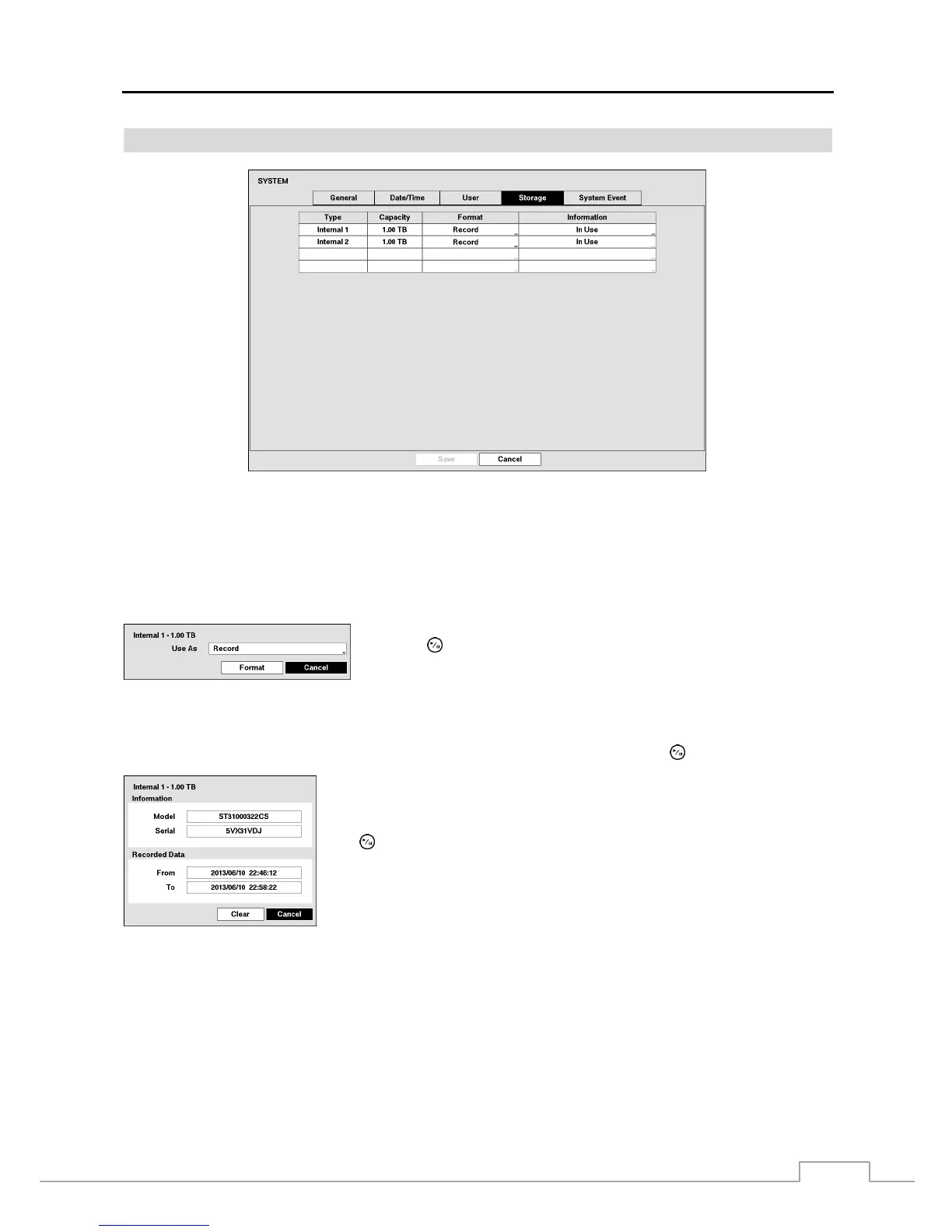
Figure 11: System – Storage setup screen.
The information in the Type column describes the storage device.
The capacity of the storage device is displayed in the Capacity column.
The Format column displays whether the device is used for recording (Record) or not (Not Using). Not formatted
indicates the device is not formatted.
Highlight the box in the Format column for the desired storage device and
press the
button. You will be able to format the device for recording. When
selecting Not Using from Use As and highlighting the Format button, the
device will not be used for recording.
The Information column displays whether the device is being used or not. Other indicates the device has been used
for another DVR.
Highlight the box in the Information column for the desired storage device and press the
button.
You will be able to check the model name, serial number and the time information
about recorded data of the selected storage device.
If you want to erase recorded data on the selected device, highlight Clear and press
the
button. You will be asked whether or not you want to delete the data.



 To Next Page