Digital Video Recorder
23
Highlighting Holiday… and pressing the
button displays the Holiday screen.
You can set up holidays by highlighting
+
and pressing the
button. The current
date appears.
Highlight the month and day and change them by using the Up and Down arrow
buttons. Press the
button to add the date. Dates can be deleted by highlighting
the
beside the date and pressing the button.
NOTE: Holidays that do not fall on the same date each year should be updated
once the current year’s holiday has passed.
User
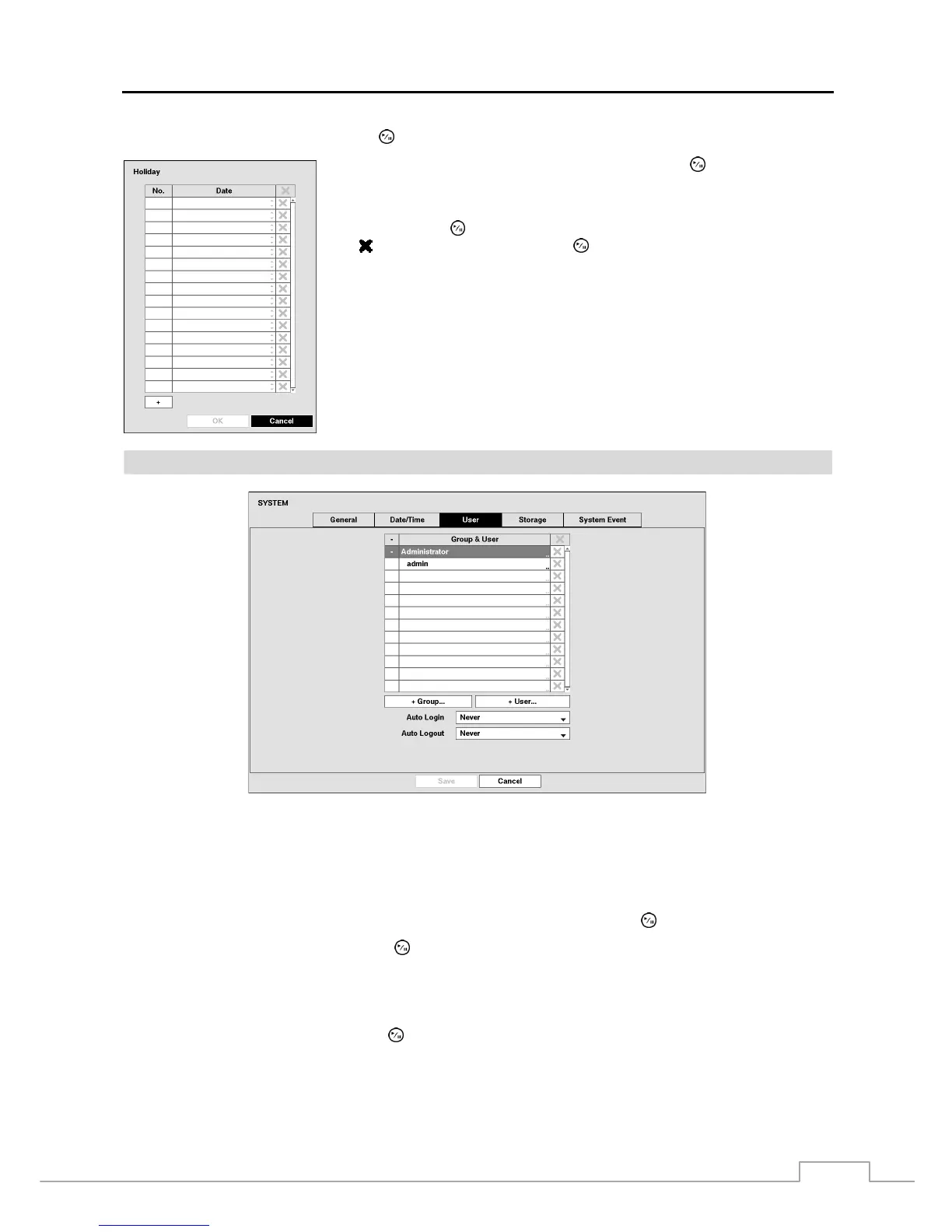
Figure 10: System – User setup screen.
The +/– column is used to collapse and expand user groups. If there is a + or – in this column, it indicates the item is
a Group Name. If there is a – in front of the Group Name, it indicates that the group has been “expanded” and all of
the User Names within that group are displayed below the Group Name. If there is a + in front of the Group Name, it
indicates that the group has been “collapsed” and all of the User Names within that group are hidden. To collapse or
expand a group, highlight the +/– column in front of the desired group and press the
button.
Highlighting a Group Name and pressing the
button allows you to change the authority levels assigned to the group.
CAUTION: Write down the new password and save it in a secure place. If the password is forgotten,
the unit must be reset using the Factory Reset Button and all data settings will be lost.
Highlighting a User Name and pressing the
button allows you to add or change the password assigned to that user.
You can also change the group to which the user is assigned.



 To Next Page