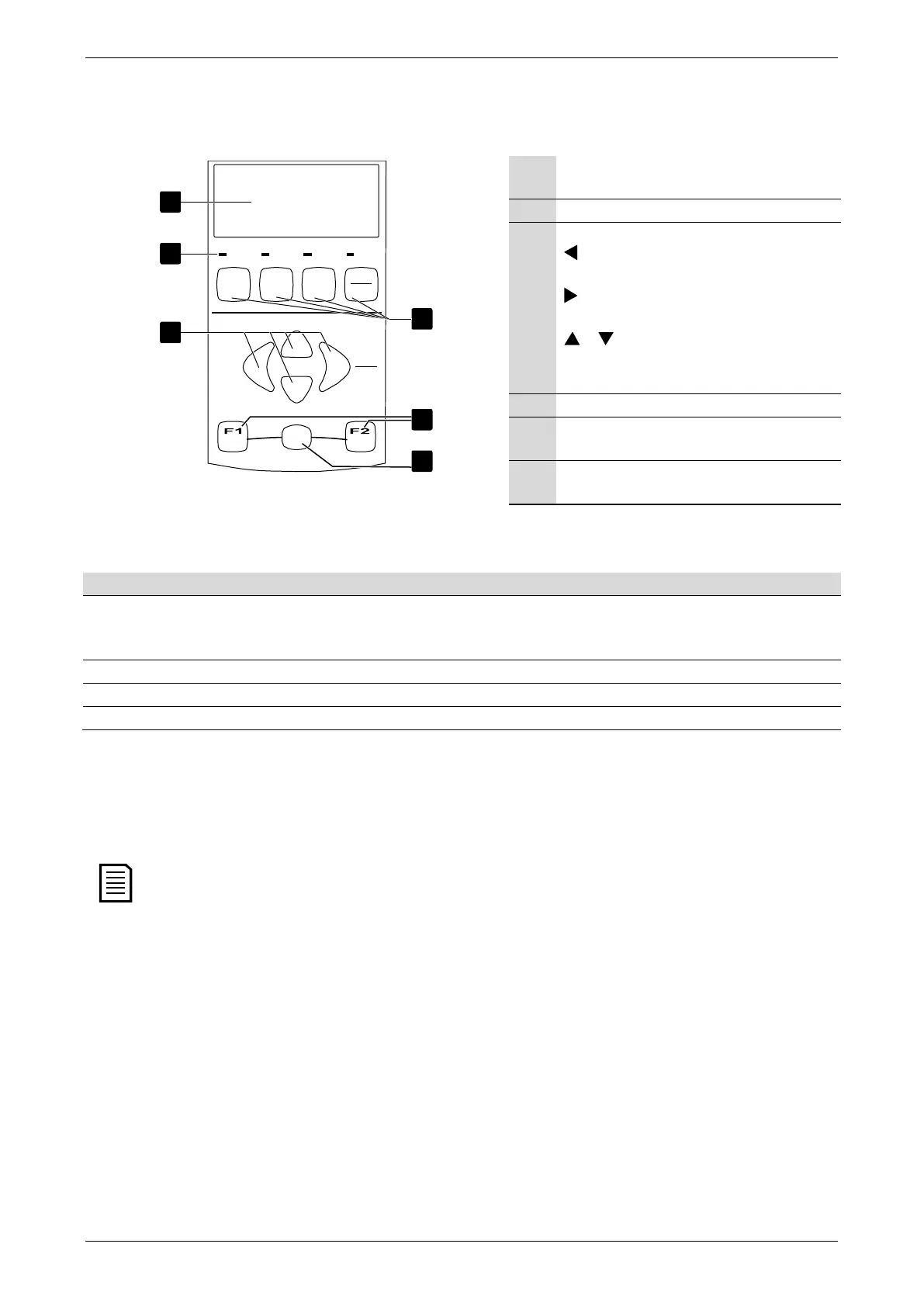
KEYPAD AND FEEDBACK
7. Keypad and Feedback
7.1 The Keypad
Run
Trip LocalReady
Exit
Men
u
S
tor
e
Logs
Alt
Tools
Reset
LC L
RM T
StopStart
04186.B
1
2
3
4
5
6
Four-line display for status and programming
details.
Status LEDs
Menu navigation buttons:
: Exit the menu or parameter, or cancel a
parameter change.
: Enter a menu or parameter, or save a
parameter change.
/ : Scroll to the next or previous menu
or parameter, or change the setting of the
current parameter.
Soft starter local control buttons
Shortcut buttons for quick access to common
tasks.
Alt button. Use with F1 or F2 to open
performance logs or commissioning tools.
Starter Status LEDs
Ready The motor is stopped and the starter is ready to start. The motor is stopped and the starter is waiting for the
Restart Delay
(parameter 4M) or
Motor Temperature
Check
(parameter 4N).
Run The motor is in run state (receiving full voltage). The motor is starting or stopping.
Trip The starter has tripped. The starter is in warning state.
Local The starter is in Local control mode. –
If the starter is in remote control mode, the Local LED will be off.
If all LEDs are off, the starter is not receiving control voltage.
Removing and Replacing the Keypad
The keypad can be removed from the soft starter and mounted remotely on a panel using the remote mounting kit.
The keypad can be removed or replaced while the starter is running. It is not necessary to remove mains or control
voltage.
• Removing the keypad
The keypad is attached to the body of the soft starter by a DB9 serial connector and two screws. The screws are concealed behind a
snap-on faceplate.
To remove the keypad:
1. Models EMX3-0023B to EMX3-1000B: open the EMX3's door.
Models EMX3-0255C to EMX3-1600C: remove the EMX3's front cover.
2. Insert a small screwdriver under the faceplate, at the base of the keypad, and use the screwdriver to lever the faceplate off
the keypad.
3. Lift the faceplate off completely.
4. Remove the two screws holding the keypad in place.
5. Lift the keypad gently off the soft starter. Pull the keypad forwards, to avoid damaging the DB9 connector.
User Manual (710-04840-00M) | 23



 To Next Page