LL
co
....
N
"
N
....
0
N
>
co
Media center
Various categories for selecting audio/video*
files are available in the media center .
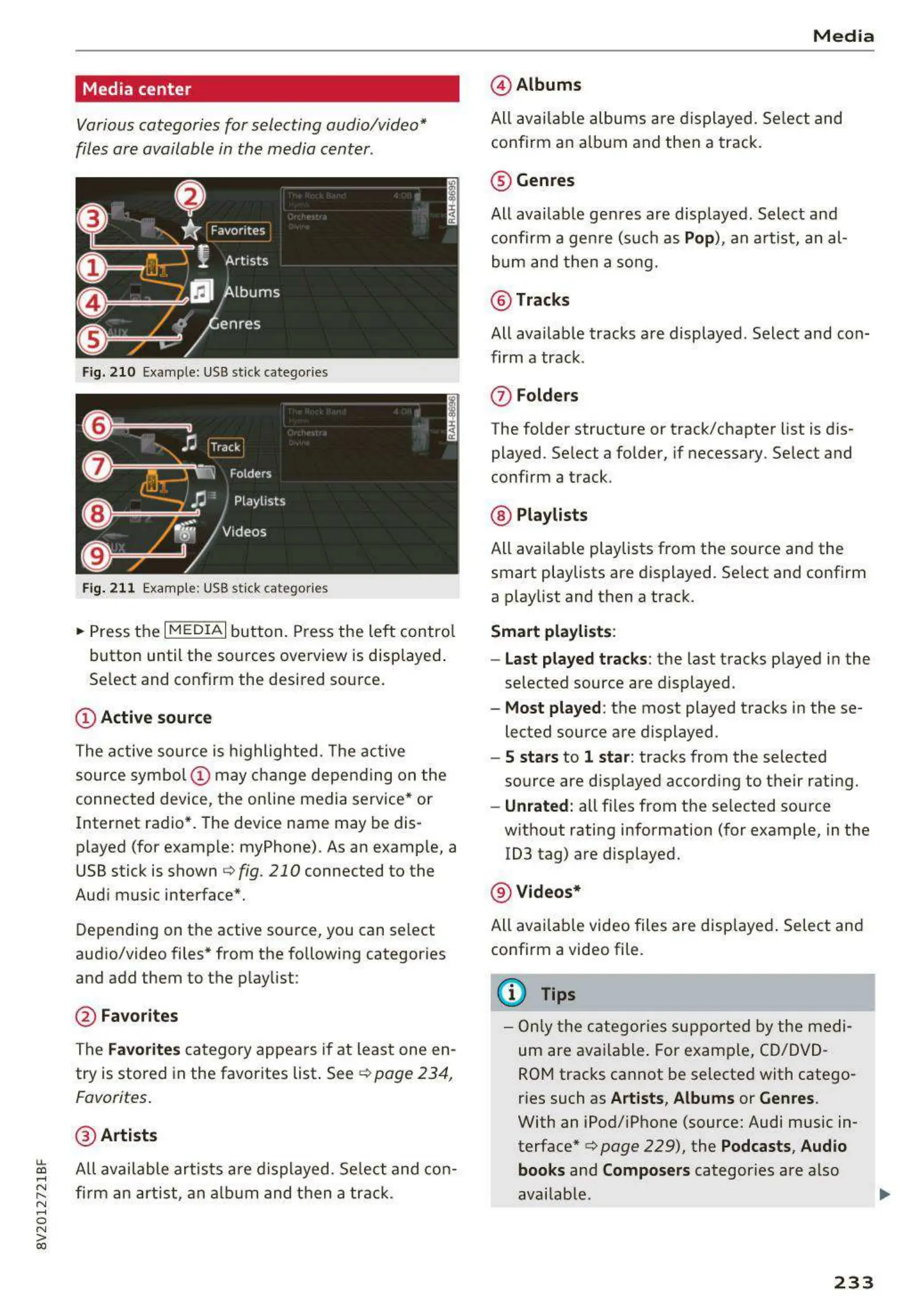
Fig. 210 Example: USB st ick catego ries
Fig. 211 Example: USB st ick cat egories
~
Press the I MEDIAi button. Press the left control
button until the sources overview is displayed .
Se lect and confirm the desired source.
(!) Active source
The active source is highlighted. The active
source symbol @ may change depending on the
connected device, the online media service* or
Internet radio*. The device name may be dis-
played (for example: myPhone). As an examp le, a
USB stick is shown c:> fig . 210 connected to the
Audi music interface*.
Depending on the active source , you can select
audio/video files* from the following categor ies
and add them to the playlist :
@ Favorites
The Favorites category appears if at least one en-
try is stored in the favorites list . See
¢ page 234 ,
Favorites.
@ Artists
All available artists a re displayed . Se lect and con-
firm an artist, an album and then a track.
Media
@ Albums
All available albums are displayed . Select and
confirm an album and then a track .
® Genres
All availab le genres are displayed . Select and
confirm a gen re (such as
Pop), an artist, an al-
bum and then a song.
@ Tracks
All available tracks are displayed . Select and con-
firm a track .
(J) Folders
The folder structure or track/chapter list is dis-
played . Select a folder, if necessary . Select and
confirm a track .
@ Playlists
All availab le playlists from the source and the
smart playlists are displayed . Se lect and confirm
a playlist and then a track.
Smart playlists :
- Last played tracks:
the last tracks played in the
selec ted source are displayed .
- Most played : the most played tracks in these-
lected source are displayed .
- 5 stars to 1 star: tracks from the selected
source are displayed accord ing to their rating.
- Unrated: all files from t he se lected source
without rating information (for example, in the
103 tag) are displayed.
@ Videos*
All avai lable video files are displayed. Select and
confirm a video file.
(D Tips
- Only the categories supported by the medi-
um are ava ilable . For example, CD/DVD-
ROM tracks cannot be selected with catego-
ries such as
Artists , Albums or Genres.
With an iPod/iPhone (source: Audi music in-
terface*
c> page 229), the Podcasts, Audio
books
and Composers categor ies are also
available.
233



 To Next Page