Opening and closing
Key set
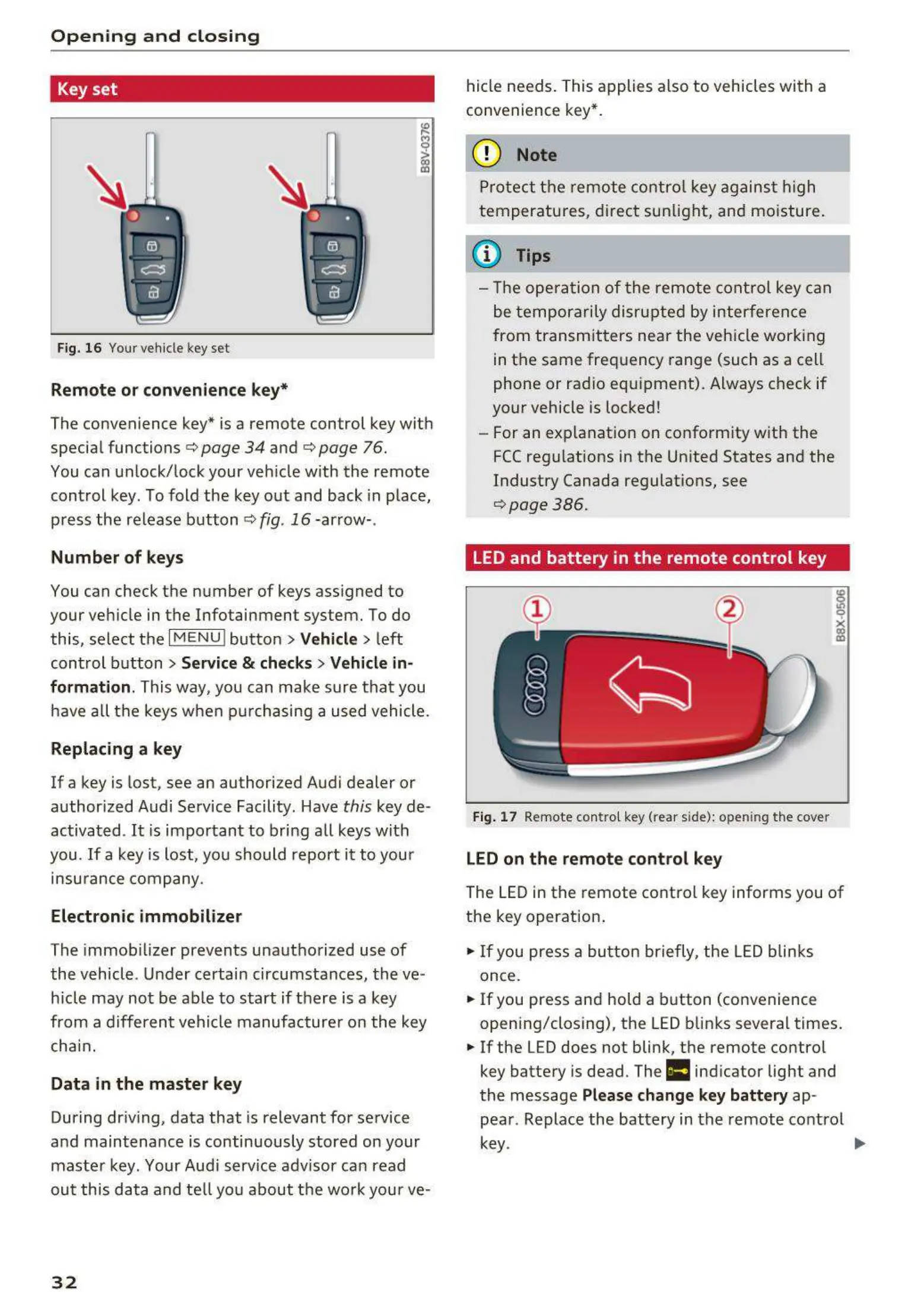
Fig. 16 Your vehicle key set
Remote or convenience key*
The convenience key* is a remote control key with
special functions
c::> page 34 and c::> page 76.
You can unlock/lock your vehicle with the remote
control key. To fold the key out and back in place,
press the release button
c::>fig . 16-arrow- .
Number of keys
You can check the number of keys ass igned to
your vehicle in the Infotainment system. To do
this, select the
IM ENU I button > Vehicle > left
control button
> Service & checks> Vehicle in-
formation .
This way, you can make sure that you
have all the keys when purchasing a used vehicle.
Replacing a key
If a key is lost, see an authorized Audi dealer or
author ized Audi Service Facility. Have
this key de-
activated .
It is important to bring all keys with
you.
If a key is lost, you should report it to your
insurance company.
Electronic immobilizer
The immob ilizer prevents unauthorized use of
the vehicle. Under certain circumstances, the ve-
hicle may not be able to start if there is a key
from a different vehicle manufacturer on the key
chain.
Data in the master key
During driving, data that is relevant for service
and maintenance is continuously stored on your
master key. Your Audi service advisor can read
out this data and tell you about the work your ve-
32
hide needs . This applies also to vehicles with a
convenience key*.
(D Note
Protect the remote control key against high
temperatures, direct sunlight, and moisture .
(l} Tips
- The opera tion of the remote control key can
be temporarily disrupted by interference
from transmitters near the vehicle working
in the same frequency range (such as a cell
phone or radio equ ipment). Always check if
your vehicle is locked!
- For an explanat ion on conform ity with the
FCC regulations in the United States and the
Industry Canada regulations, see
c::>page386.
LED and battery in the remote control key
Fig. 17 Remote contro l key (rear side): open in g the cover
LED on the remote control key
The LED in the remote control key informs you of
the key operation .
.. If you press a butt on briefly, the LED blinks
once.
.. If you press and hold a button (convenience
opening/closing), the LED blinks several times .
.. If the LED does not blink, the remote control
key battery is dead. The
Ill indicator light and
the message
Please change key battery ap-
pear . Replace the battery in the remote control
key.
~



 To Next Page