LL
co
....
N
"
N
....
0
Drive to an autho rized Audi dea ler or aut horized
Audi Service Facility immediately to have the
malfunct ion corrected. You can still switch the
high beams on or off manually.
11 Headlight assistant : currently unavailable.
No camera view
a:a Headlight assistant : currently unavailable.
Camera view restricted due to surroundings.
See owner's manual
The camera view is blocked, fo r example by a
st icker o r debris. Please clean t he windshie ld.
The senso r is located in the inter ior rearv iew m ir-
ror mount . Do not place any stickers in this a rea
on the windsh ield.
,& WARNING
High bea m assis tan t is only intended to assist
t he driver. The dr iver is still responsib le for
contro lling the headlights and may need to
switch them on and off manually depend ing
on light and visib ility conditions. It may be
necessary to ope rate them manua lly in s itua-
tions such as:
- In adverse weather cond itions such as fog,
heavy ra in, blowing snow or sp raying water .
- On roads where oncoming traffic may be
partially obsc ured, such as expressways .
- If there a re road users with poor lighting ,
such as bicyclists.
- In tight curves and on steep hills .
- In poor ly lit areas.
- Wit h stro ng reflec tor s, such as signs.
- If the area of the windsh ield near the se nso r
is fogged over, dirty, icy or covere d wit h a
sti cker.
Adjusting the exterior lighting
The fu nctions are adjusted in the Infotainment
system.
• Se lect in the Infotainment system: !M E NU I but -
ton
> Vehicle > left contro l butto n > Vehicle
settings
> Exterior lighting .
N
> l) This fun ct ion is not availab le in all countri es.
co
Lights and V ision
Automatic headlights*
You ca n adjus t the following settin gs in the Au-
tomatic headlights
men u :
Activation time* - yo u can adjust if th e head -
ligh t s sw itc h on
Early, Medium or Late according
t o th e se nsit ivity of the light sensor .
Headlight assistant*· you can switch the h igh
beam assis t ant* on a nd off.
Entry/ exit lighting*
You can switch the entry/exit lighting" on and
off . When it is dark, it illum inates the area
aroun d th e vehicle whe n unlock ing the vehicle
and aft er sw itchi ng off t he ignition and opening
t he dr iver's doo r.
The entry/exit lighting only works whe n it is da rk
and the light sw itch is in the
AUTO* position .
Daytime running lights
1
l
The daytime running lights can be turned on and
off. When daytime running lights a re t urned on,
the lights will stay on continuously whenever the
ignition is sw itched on .
Emergency flashers
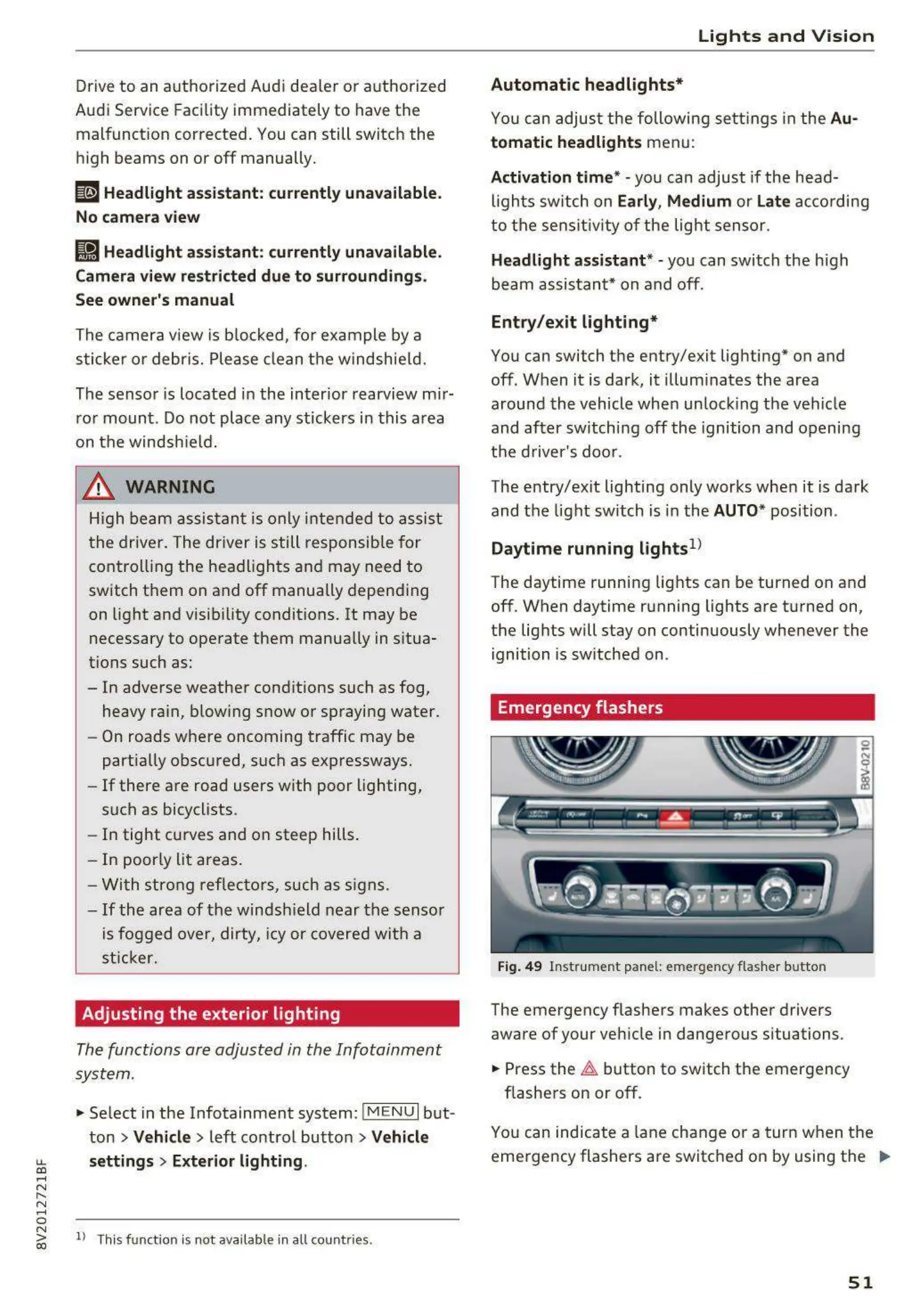
Fig. 49 Inst rume nt pa nel: emerge ncy flas her butto n
The emergency flashe rs makes other drivers
aware of your ve hicle in dange rous situations.
• Press the ~ button to switch the emergency
flashe rs on or off .
0
i
You can ind icate a lane cha ng e or a t urn when t he
eme rgency flashers a re switc hed on by using the ..,_
51



 To Next Page