25
Replacing a cartridge
Refer to the user manual for the cartridge that you will be using if you are replacing the cartridge with a commercially
available one.
After you replace the old cartridge with a new one, you must readjust the overhang and the tonearm’s balance and
tracking force.
1
Release the headshell from the tonearm.
Use the clamp to secure the tonearm and then remove the headshell gently.
2
Remove the stylus from the cartridge.
3
Remove the lead tips.
Be careful not to damage the lead tips.
4
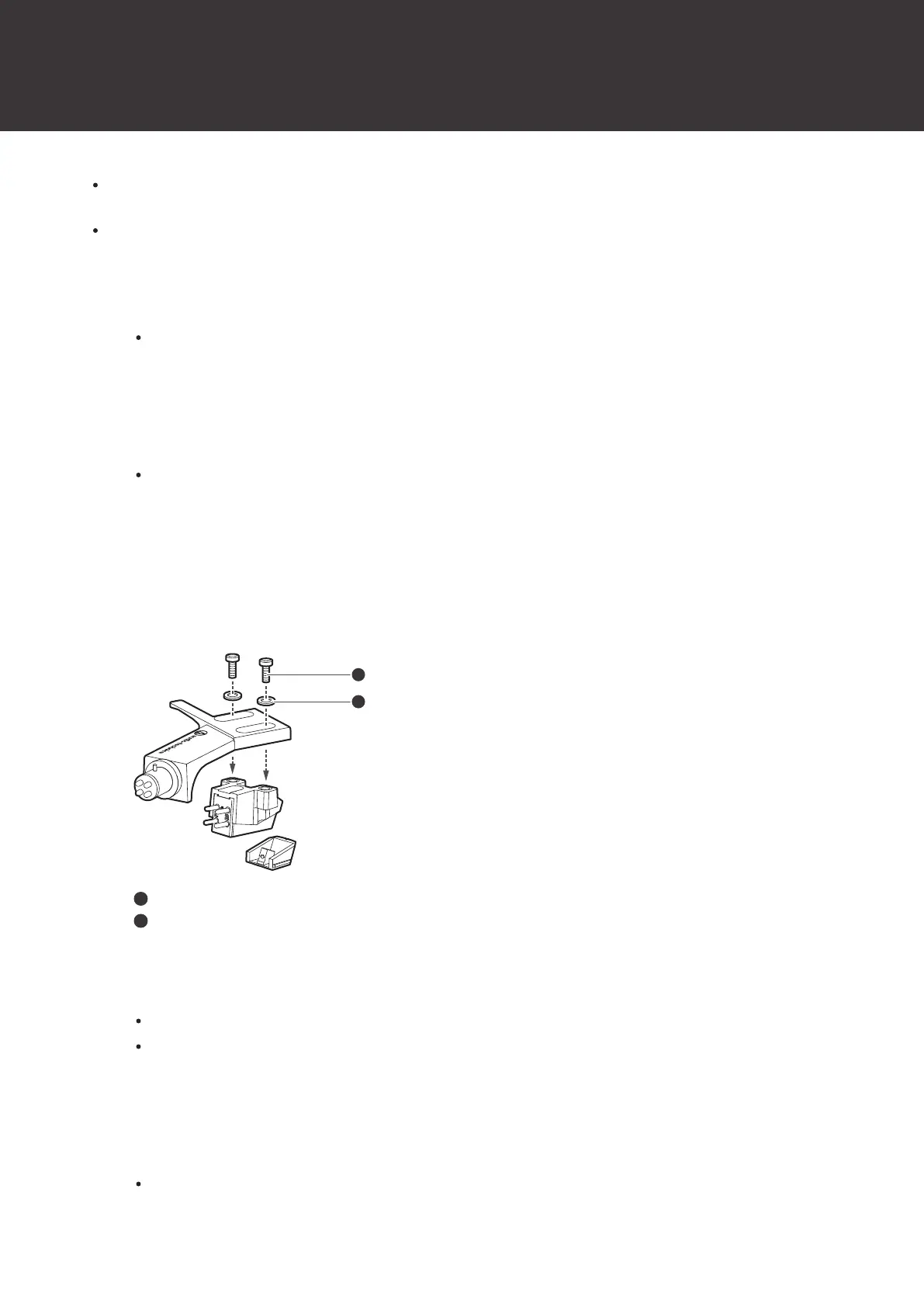
Using a commercially sold, non-metallic slotted screwdriver, remove the installation screws, and
then remove the cartridge from the headshell.
5
Refer to the user manual for the new cartridge for mounting instructions and connecting to the lead
tips.
Installation screws
Plastic washers
6
Using a commercially sold, non-magnetic slotted screwdriver, loosen both of the installation screws,
and then adjust the overhang.
Refer to "Adjusting the overhang" (p. 28).
After the adjustments are complete, tighten the screws securely.
7
Attach the headshell to the tonearm.
8
Adjust the tonearm balance and tracking force.
Refer to "Setting tonearm balance" (p. 14) and "Setting tracking force" (p. 15) to adjust them.


 To Next Page
 Loading...