Verifit
®
User's Guide Version 4.8 © November 2016
Calibration check for probe module
The calibration curve for the probe module is a comparison of the response of the probe microphone (with tube)
to the response of the on-ear reference microphone. Any change in the curve indicates a change in one of these
microphones (or the probe tube). See Calibration of on-ear probe microphone. As part of a regular calibration
schedule, or to investigate changing calibration curves, the on-ear reference microphone may be checked against
a high quality sound level meter.
1. Right-click to raise the home menu and click [Manual control] under On-ear.
2. Click [Level], then select 70 from the drop-down list.
3. Click [Frequency], then select 2000 Hz from the drop-down list.
4. Click [Start test] (which changes to [Stop test]).
5. Hold the probe module about 45cm (18 in.) in front of the sound field speaker.
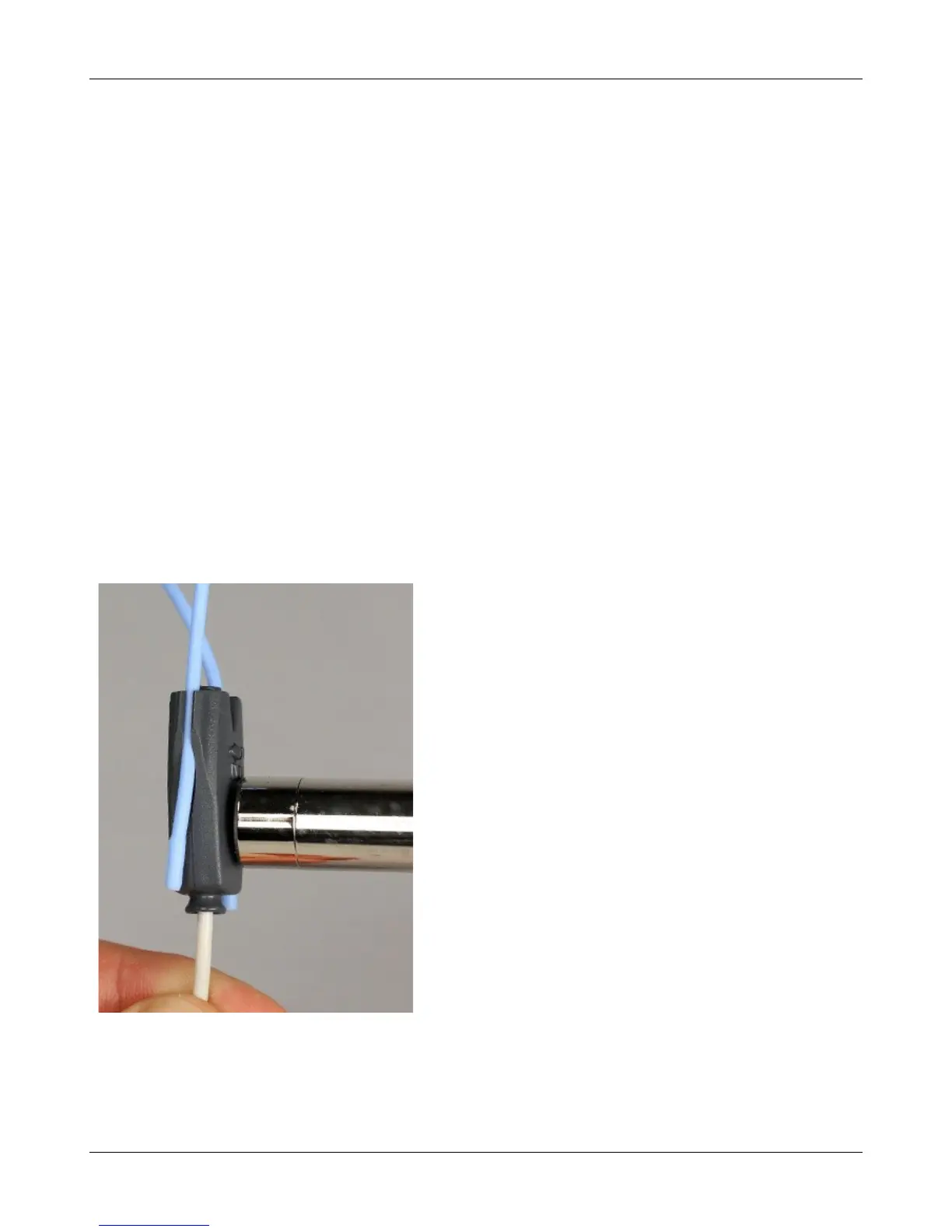
6. Hold the microphone of a calibrated sound level meter next to the on-ear reference microphone as shown.
Set the sound level meter to C weighting and slow.
7. The sound level meter should read 70 ±2 dB.
8. Repeat with the frequency at 250 Hz.
9. To stop the measurement, left-click [Stop test].
The probe module should be replaced if it fails this test.
39



 To Next Page