Verifit
®
User's Guide Version 4.8 © November 2016
6. Click to measure and store the long-term signal-averaged result. IF the input level at each ear is
significantly different, the signal may be repeated twice for accurate results.
7. Click to stop the test without recording any test data.
CROS fitting in Speechmap
See Using Speechmap.
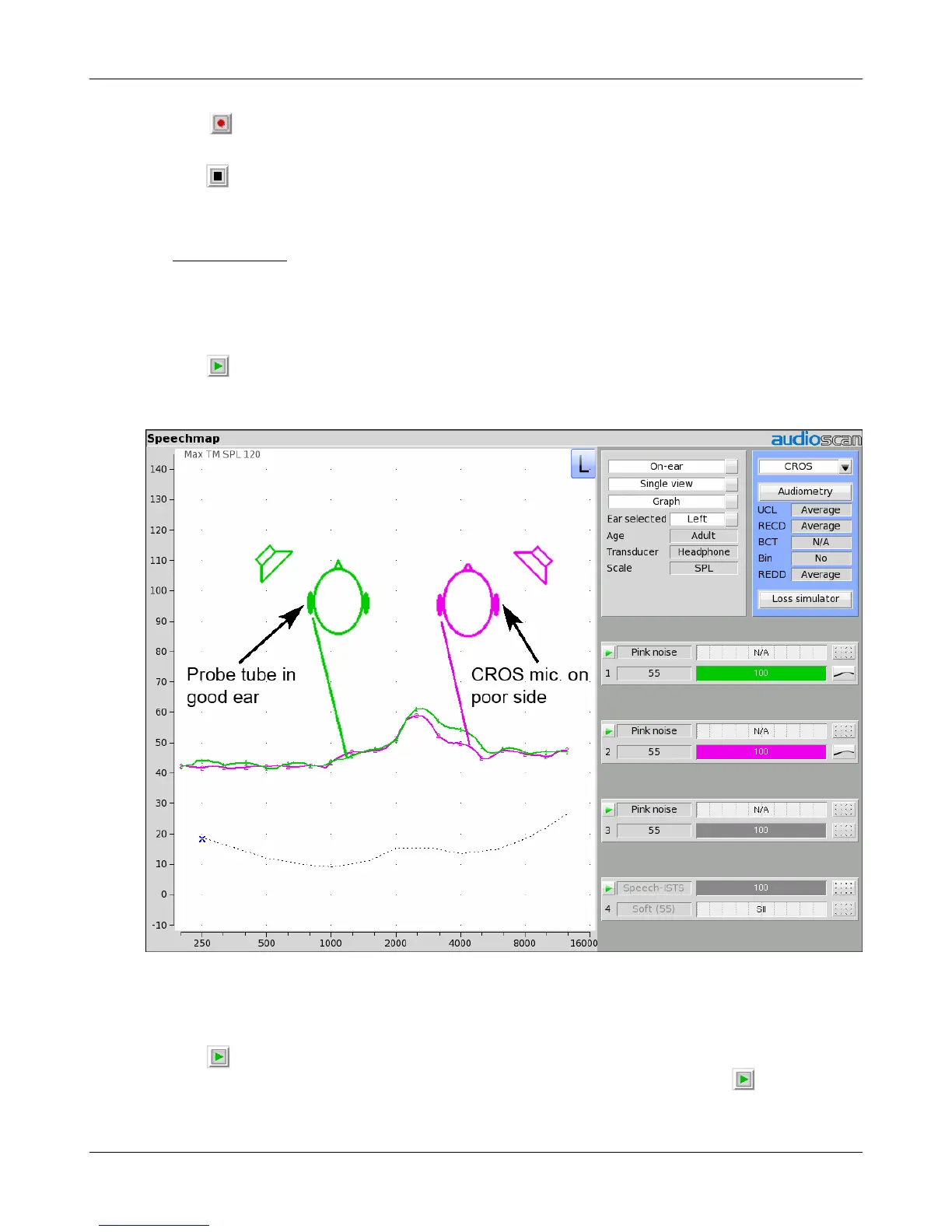
1. Place a probe module on each ear and insert the probe tube into the good ear only. Position the CROS
instruments on (in) the ears and turn them ON.
2. Position the speaker at 45 degrees to the good ear and set Instrument to [BTE].
3. Click in test 1 area to start test and record a response using [Pink noise] at Soft (55). It should be like a
normal REUR. If not, the ear may not be fully open.
4. Position the speaker at 45 degress to the poor ear.
5. Set Instrument to [CROS].
6. Click in test 2 to start test and obtain a response using [Pink noise] at Soft (55). Adjust the response to
match that obtained in step 3.Position the speaker directly in front of the client. Click in test 3 area to
start test and use [Pink noise] at Soft (55) to check for a smooth response. Repeat with Instrument set to
63



 To Next Page