Verifit
®
User's Guide Version 4.8 © November 2016
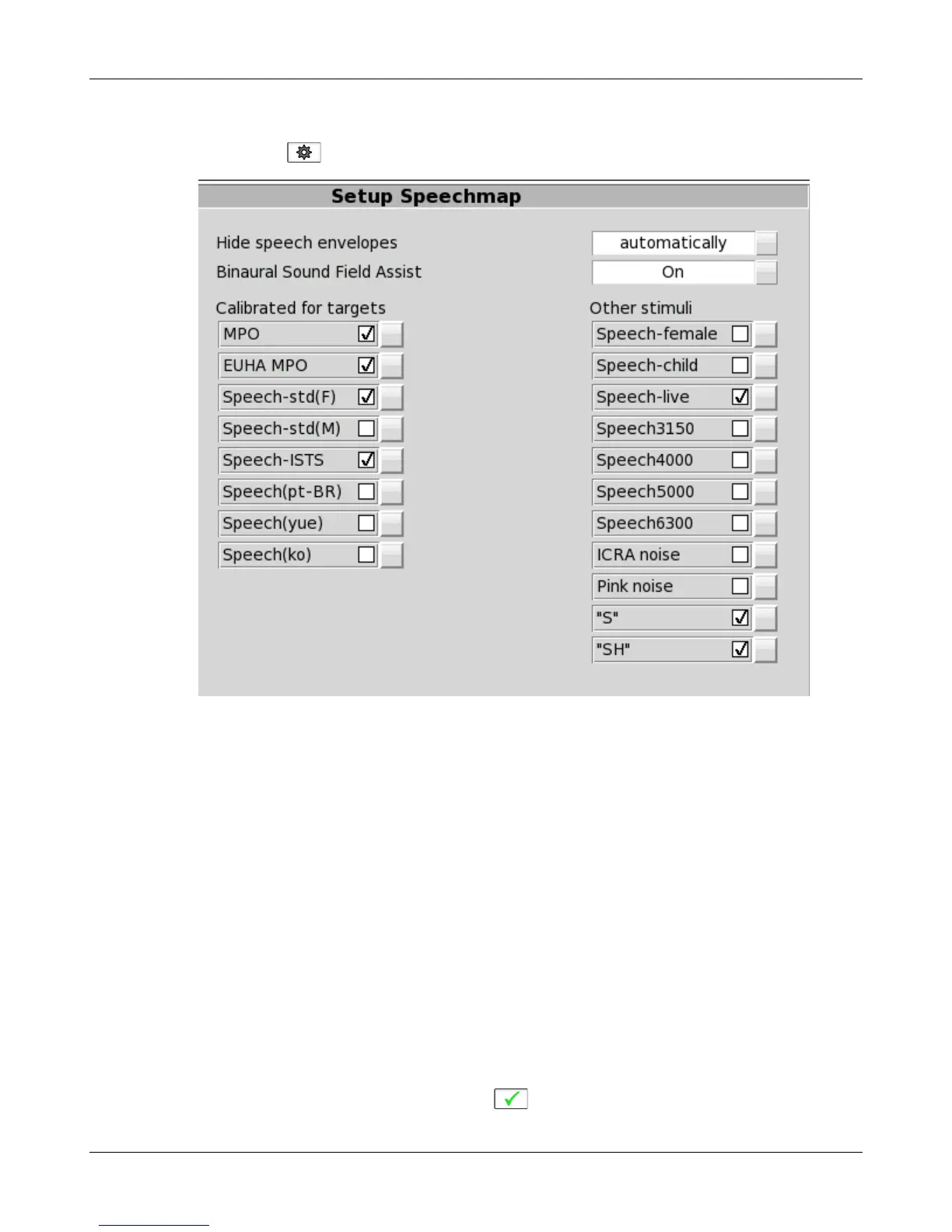
manage which stimuli appear on this list by doing the following:
Right click and select , then click [Speechmap].
The available Speechmap stimuli are in two columns. The left-hand column contains the MPO stimulus and
speech stimuli that have the specific Long-Term Average Speech Spectrum (LTASS) required when matching
prescription fitting targets such as DSL, NAL-NL1 or NAL-NL2. The MPO stimulus (used to verify that the
maximum output SPL of the hearing aid does not exceed the uncomfortable level) is always selected. You must
select at least one of the defined LTASS speech stimuli. An alternative MPO stimulus (EUHA MPO) is
available under the right-hand column.
1. To select a stimulus, click the box beside the stimulus you want to add to the list. A check mark will be
placed next to the selected stimulus.
2. To remove a checked stimulus from the list, click the box beside the stimulus you want to remove.
You can also choose to have the envelopes of the speech test results automatically hidden (leaving only the
LTASS) when you start another test. Click the Hide speech envelopes button to toggle between automatically
and manually.
Binaural Sound Field Assist provides a guide for positioning the patient for binaural tests in Speechmap. The
guide will only be shown when the binaural sound field error is greater than +/- 3 dB. Note: Binaural Sound
Field Assist functions best when head to speaker distance is less than 60cm (24 in.). When Binaural Sound Field
Assist is disabled, binaural tests may be extended to obtain accurate results.
When you have finished making your selections, click to exit Setup.
48



 To Next Page