34
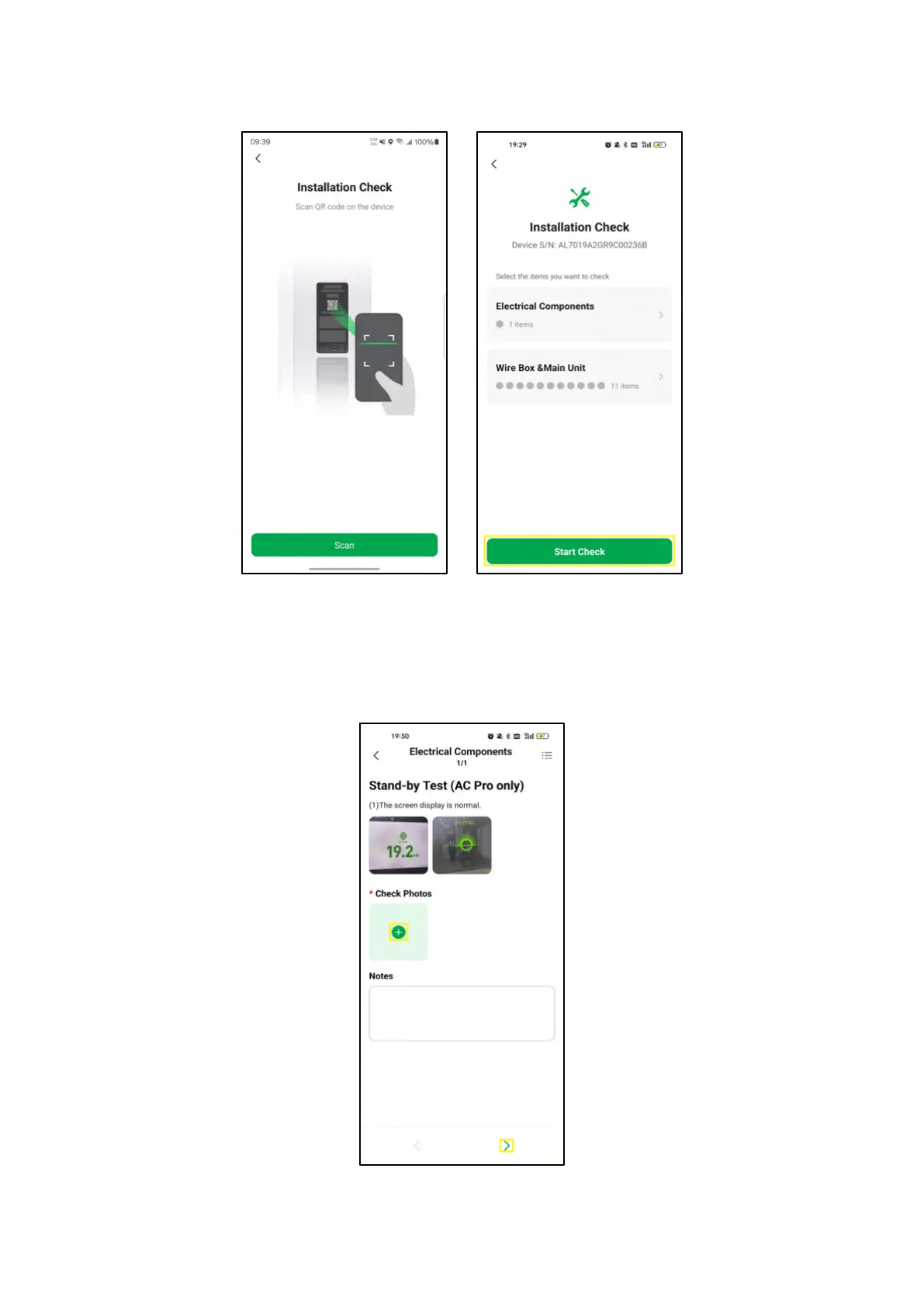
5. Scan the QR code on one device to enter the Installation Check screen. On the screen, you can see
what needs to be checked. Click on Start Check to proceed.
4-11 Installation Check Screens
6. On the Electrical Components screen, click on the + icon to upload photos of the screen display as
shown on the screen to finish the check of the first item. Then click on the > icon on the lower right
corner to proceed.
4-12 Electrical Components Screen














 To Next Page