39
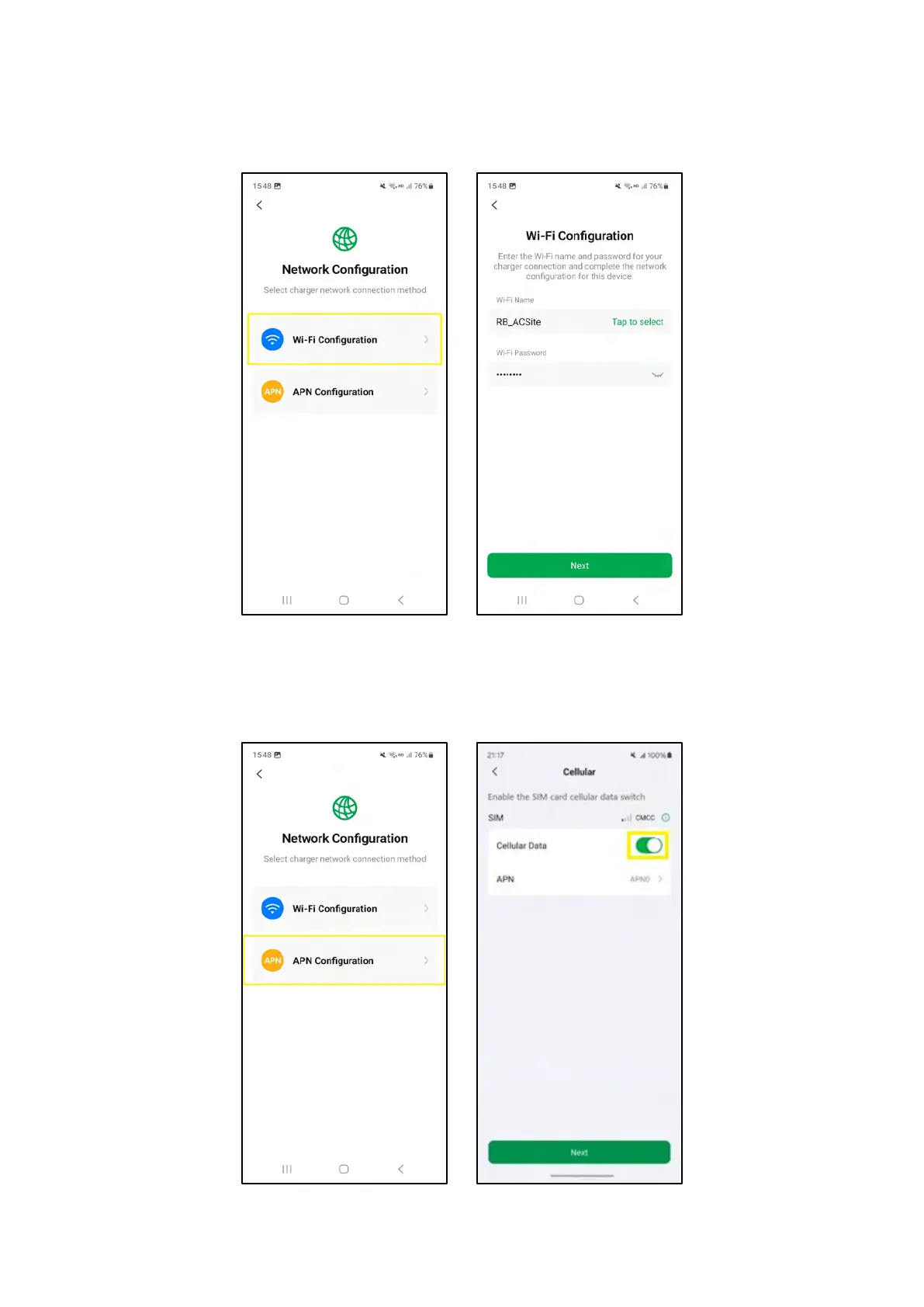
5. Configure the network for the device.
1) Select Wi-Fi Configuration and configure the Wi-Fi for the device. Then click on the Next
button to proceed.
4-20 Network Configuration and Wi-Fi Configuration Screens
2) Select APN Configuration and enable the cellular data switch of one SIM card. Then click on
the Next button to proceed.
4-21 Network Configuration and APN Configuration Screens














 To Next Page