STEP 3 – Complete RoboCrib Setup
- Exit from the RoboCrib software on the RoboCrib.
o Click on the AutoCrib icon in the upper left hand corner.
o Insert Username: Rumen
o Insert Password: Rumen
- Verify the RoboCrib computer is viewing correct data.
o Start the AutoCrib software by double clicking the
shortcut available on the desktop.
o Login to the AutoCrib software using „admin‟ as the
username with no password.
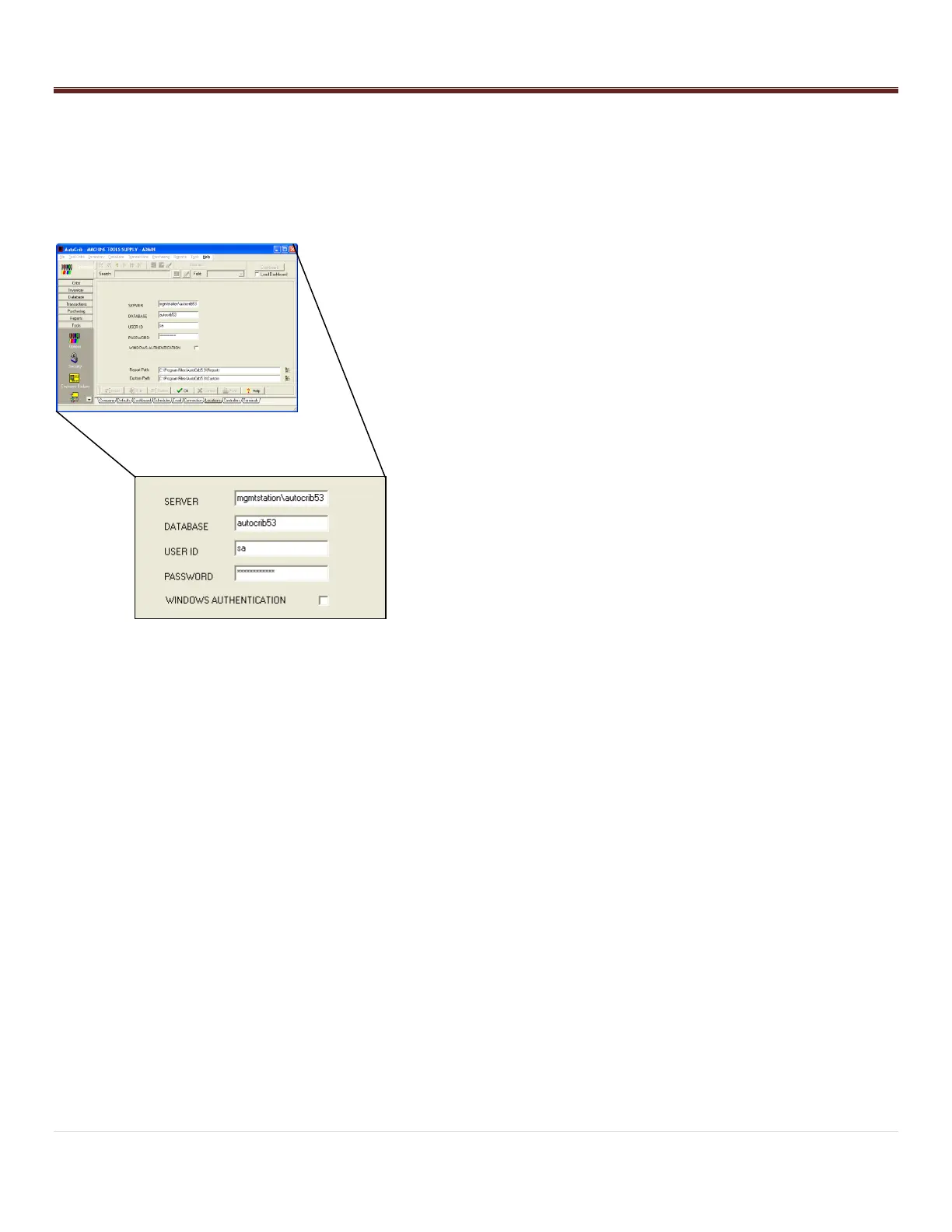
o Navigate to Tools > Options > Locations.
o Verify the following:
Server: Management Station pc Name\autocrib53
(i.e. mgmtstation\autocrib53)
OR
Management Station IP Address\autocrib53
(i.e. 192.168.168.24\autocrib53)
Database Name: autocrib53
Username: sa
Password: AutoCrib2005 (This password will be
encrypted.)
o If the RoboCrib is not viewing the correct database, select
“Edit” and enter the correct server name, database name,
username, and password. Then, select “OK”.
- Exit the AutoCrib software.
- Start the RoboCrib software by double clicking on the shortcut
available on the desktop.
- Once the RoboCrib software has started, allow the machine to
calibrate.



 To Next Page