Installation
Installation and Commissioning Handbook, AutroMaster ISEMS - Integrated Safety and Emergency Management System,
116-P-AMASTER-INSTCOMM/IGB, Rev. C, 2016-05-20, Autronica Fire and Security
Page 19
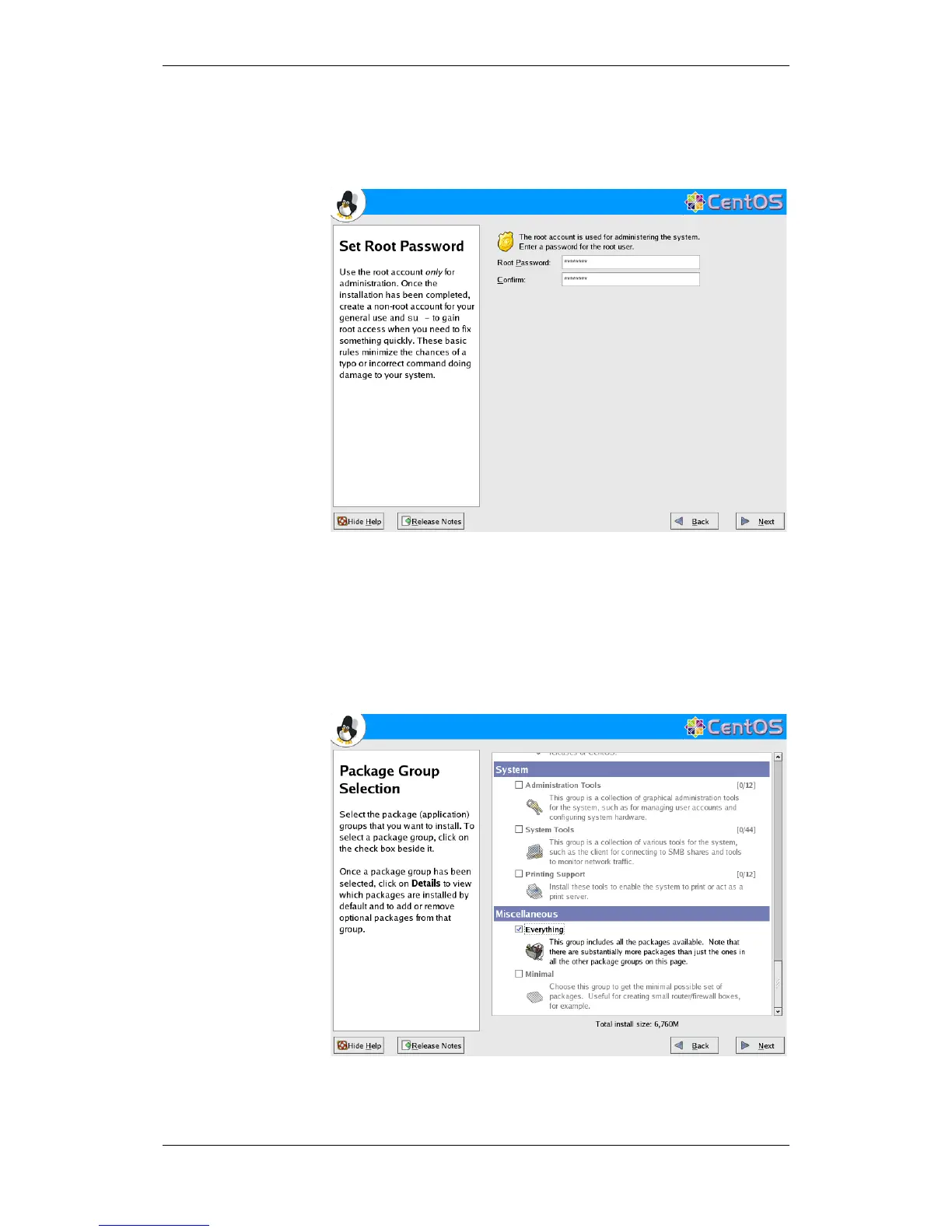
3.2.16 Root Password
The system administrator’s password is defined by typing it in the Root
Password field and then in the Confirm field.
Click Next to continue.
3.2.17 Select the Software to be Installed
We recommend that all packages are installed.
Scroll down to Miscellaneous and select Everything.
To continue, click Next.

 To Next Page
 Loading...