Installation
Installation and Commissioning Handbook, AutroMaster ISEMS - Integrated Safety and Emergency Management System,
116-P-AMASTER-INSTCOMM/IGB, Rev. C, 2016-05-20, Autronica Fire and Security
Page 31
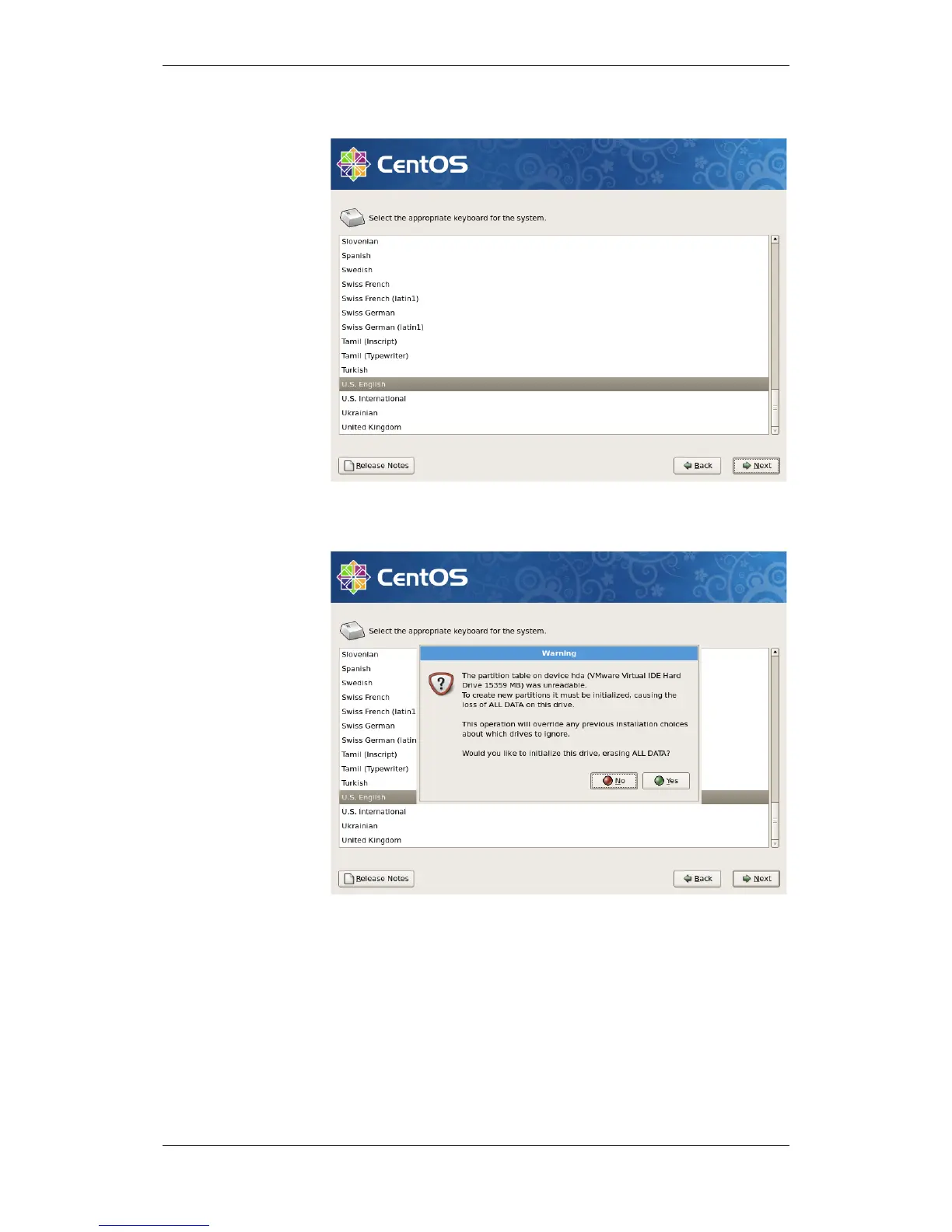
3.3.5 Keyboard Configuration
Select the layout type for the keyboard that is used for the system,
and click Next to continue.
If the drive is not initialized, a popup window will appear. Click Yes
to continue.

 To Next Page
 Loading...