Startup
Installation and Commissioning Handbook, AutroMaster ISEMS - Integrated Safety and Emergency Management System,
116-P-AMASTER-INSTCOMM/IGB, Rev. C, 2016-05-20, Autronica Fire and Security
Page 67
6.12 Output Control
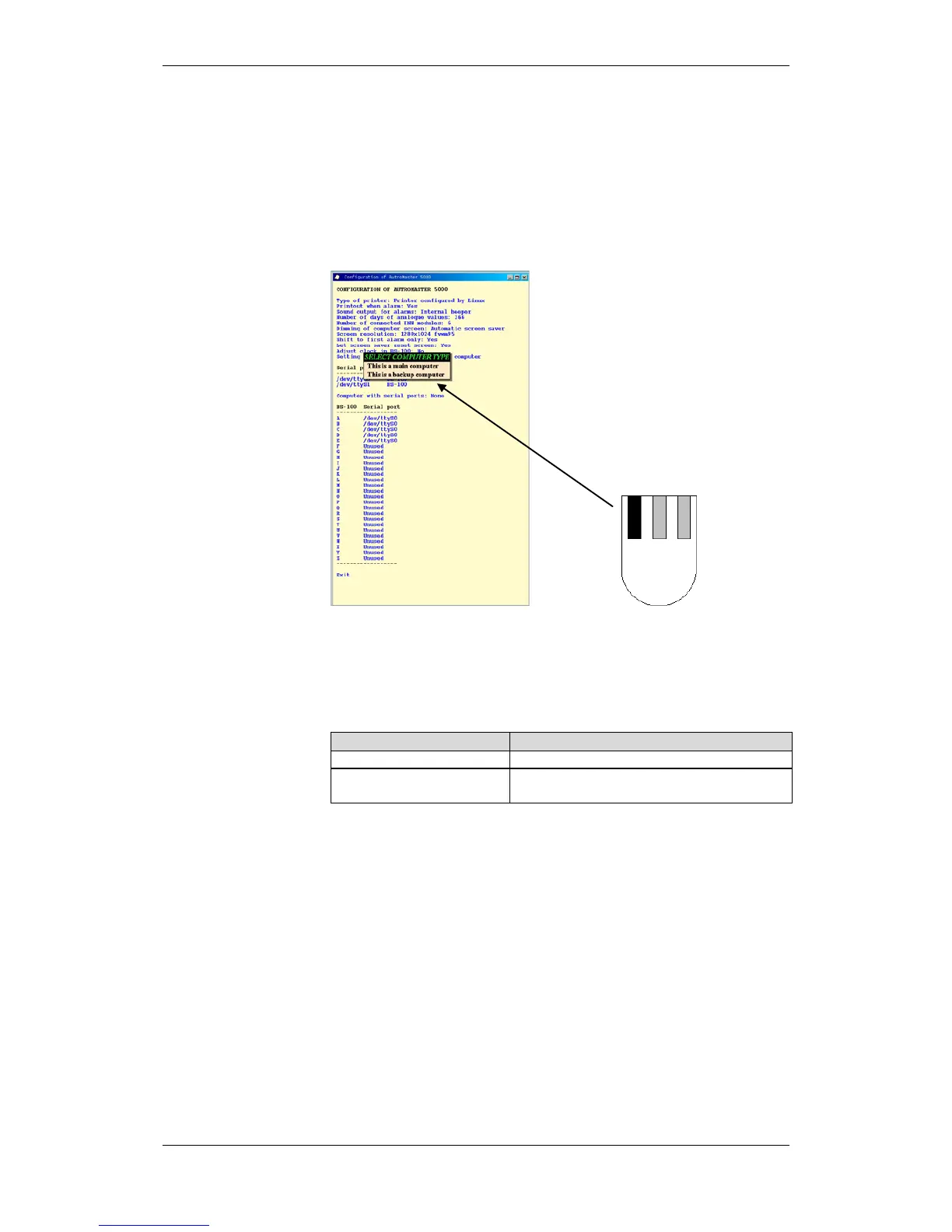
It is possible to define whether the machine is the main computer or
back-up computer for activating digital I/O.
Click and hold down the left mouse button and select This is the
main computer or This is a backup computer.
Defining computer control.

 To Next Page
 Loading...