Installation
Installation and Commissioning Handbook, AutroMaster ISEMS - Integrated Safety and Emergency Management System,
116-P-AMASTER-INSTCOMM/IGB, Rev. C, 2016-05-20, Autronica Fire and Security
Page 40
3.3.15 Select the Software to be Installed
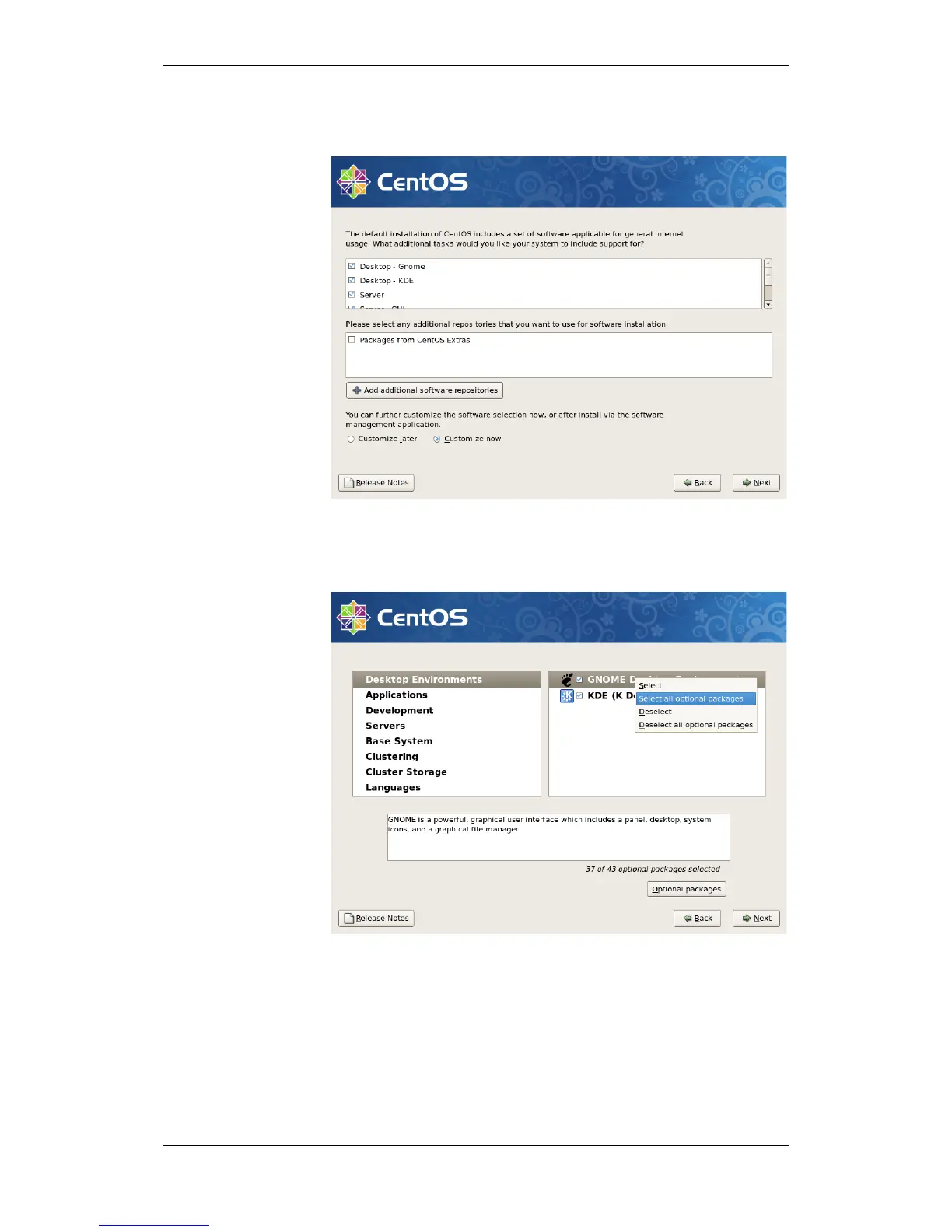
Tickoff all packages in the upper part of the window.
Select Customize now.
Click Next to continue.
All packages are installed, except for Vitualization, Clustering and
Cluster storage.
Select the first main package in the left window (which is Desktop
Environments).
All subpackages for the selected package will appear in the right hand
window.
For each subpackage, right-click and select Select all optional
packages.
Repeat this for all main packages.
Click Next to continue.

 To Next Page
 Loading...