Other Configurations
Installation and Commissioning Handbook, AutroMaster ISEMS - Integrated Safety and Emergency Management System,
116-P-AMASTER-INSTCOMM/IGB, Rev. C, 2016-05-20, Autronica Fire and Security
Page 86
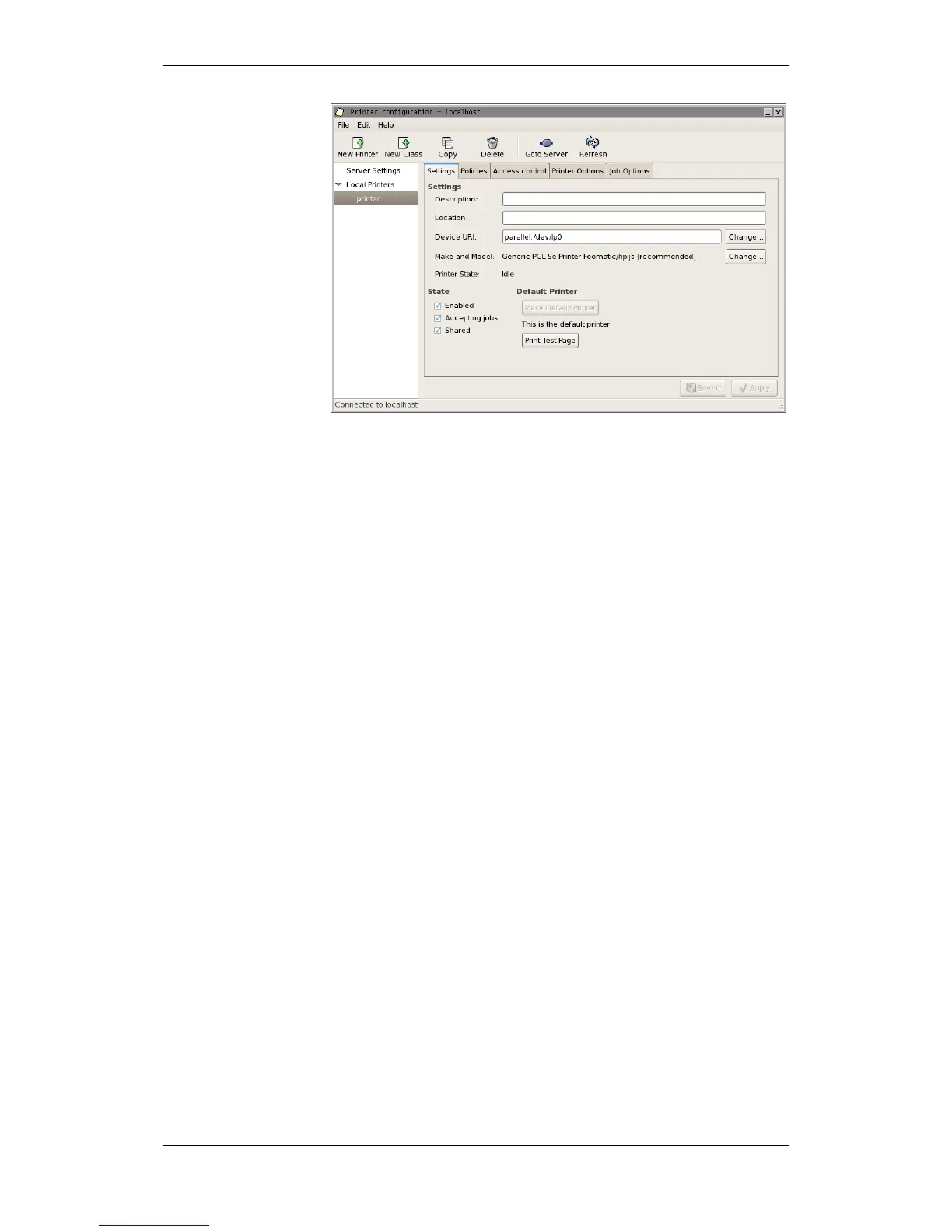
Select the Settings tab.
Click Make Default Printer.
To verify that the printer is properly configured, click Print Test
Page, and check the printout.

 To Next Page
 Loading...