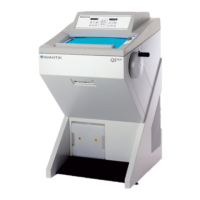
Avantik Cryostat QS11 / QS11UV
Avantik
36 Commerce St.
Springfield NJ 07081 / USA
387 779 - English
39
Inserting the blade:
• The blade is inserted into the slot (fig.
24a.9) behind the clamping plate.
Note:
When using high profile blades, first
loosen the lever (fig. 24a.1) and
remove the spacer strip (fig. 24a.8).
• For this, push in the stop bolt (fig. 24a.11)
and turn the clamping lever (fig. 24a.1) in a
counter clockwise direction over the stop
bolt.
• Remove the clamping lever (fig. 24a.1)
together with the eccentric bolt.
• First remove the clamping plate and then
the spacer strip.
• Fix the clamping plate with clamping lever
(fig. 24a.1) again in the blade carrier in
reverse order.
• To insert the blade, now loosen the
clamping lever (fig. 24a.1).
Note:
Press the clamping plate on its lower
area to op
en the slot behind the
clampi
ng plate.
• Insert the blade from the left side into the
slot behind the clamping plate (fig. 24a.9)
as far as possible.
• To section the specimen, put the anti-roll
plate (fig. 24a.10) against the blade via the
turning lever (fig. 24a.5) in a counter-
clockwise direction.
• Tighten the clamping lever (fig. 24a.1).
Thus fixing the blade in its position.
If the cutting area of the blade is no longer
usable, the blade carrier can be moved:
• The blade itself is clamped solidly into the
blade carrier. The complete carrier is
moved.
• Open the clamping lever for the upper part
of the carrier (fig. 24a.2) and move the
blade together with the upper part to the left
or right side.
• Tighten the clamping levers (fig. 24a.2) to
fix this position.


 To Next Page