EasyManua.ls Logo

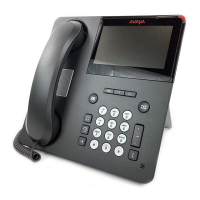
Avaya 9641GS - User Manual

Avaya 9641GS
113 pages
Print Icon
To Next Page IconTo Next Page
Loading...
Using Avaya 9621G/9641G/9641GS IP
Deskphones SIP
Release 7.1.7
Issue 1
October 2019

Table of Contents

Other manuals for Avaya 9641GS

Questions and Answers

  • J
    john35Sep 14, 2025
    Why is there a blank screensaver on Avaya Telephone?
    • P
      Pamela GonzalezSep 14, 2025
      If a blank screensaver appears on your Avaya Telephone and the phone does not immediately respond to pressing the Phone button, correct/change the LOGO parameter in the settings file. The server IP Address in the LOGO parameter is invalid or unavailable.
  • H
    Heather JimenezAug 25, 2025
    What to do if Avaya IP Phone cannot find the HTTP/HTTPS server?
    • D
      Diane MoranAug 25, 2025
      If your Avaya IP Phone can't find the HTTP/HTTPS server or the call server, first ensure that MCIPADD is properly administered, either manually, through DHCP, or via HTTP. If the MAC address in the memory is corrupted, return the phone to Avaya for repair.
  • S
    sandraphillipsAug 25, 2025
    Why does my Avaya 9641GS Telephone stop working in the middle of a call?
    • D
      Darren WeissAug 26, 2025
      If your Avaya Telephone stops working during a call, check the connections between the deskphone, the power supply, and the power jack. Also, loss of path to the call server or the other party’s deskphone, DHCP Lease expired, or DHCP server not available when deskphone attempts to renegotiate DHCP lease.
  • C
    Carly LewisAug 26, 2025
    Why my Avaya 9641GS was working but now it does not?
    • V
      Victor McmillanAug 26, 2025
      If your Avaya Telephone was working but now it doesn't, check the connections between the deskphone, the power supply, and the power jack to ensure there is no loss of power. If power is fine but there's no dial tone or the call appearances/feature buttons don't work, check LAN continuity from the call server to the deskphone and back. Verify that administration settings for LAN equipment between the call server and the deskphone haven't changed, and that no one has altered the deskphone settings locally.
  • D
    Dr. Paul StephensSep 15, 2025
    What to do if Avaya 9641GS freezes at 'Press * to program'?
    • M
      Matthew HunterSep 15, 2025
      If the display freezes at the prompt 'Press * to program' during Craft procedure access on your Avaya Telephone, unplug the deskphone, then plug it in again to reset. Craft access has failed; deskphone cannot operate.
  • J
    jonathanwilliamsSep 23, 2025
    What to do if message light blinks but Avaya Telephone never registers?
    • S
      stacy35Sep 23, 2025
      The deskphone must be returned to Avaya for repair, because this is a hardware fault.
  • B
    Brian BrownSep 7, 2025
    What to do if speaker doesn't work on Avaya 9641GS?
    • T
      trujillostevenSep 7, 2025
      If your Avaya Telephone works properly except for the speaker, check the settings file and re-enable the Speaker if appropriate. The Speaker was disabled in the settings file.
  • J
    John AdamsSep 8, 2025
    Why does Avaya Telephone volume fluctuate?
    • K
      karen77Sep 8, 2025
      If you hear fluctuations in the volume level on your Avaya Telephone, especially with the speaker on, at the beginning of a call, or when the audio changes abruptly, try different on/off settings for the AGCHAND, AGCHEAD, and AGCSPKR parameters. The user has changed the Automatic Gain Control (AGC) or environmental acoustics are not consistent with the current audio settings.
  • A
    Anna HaneySep 2, 2025
    What to do if Avaya 9641GS Telephone has bad router?
    • K
      Karen WhiteSep 2, 2025
      If your Avaya Telephone cannot find a router based on the information in the DHCP file, use static addressing to specify a router address, or change administration on DHCP.
  • T
    Tracy GutierrezAug 31, 2025
    What does "User logged in at another location" mean on Avaya Telephone?
    • M
      Mr. Kevin Thompson Jr.Aug 31, 2025
      If your Avaya Telephone displays "User logged in at another location", it means the extension you're trying to use is currently active on another phone. Log in with a different extension, or press ‘Retry’ and enter a new extension and password. Alternatively, log in with the original extension while unregistered the extension from the other phone.

Avaya 9641GS Specifications

General IconGeneral
TypeIP Phone
Resolution480 x 272 pixels
ConnectivityEthernet
USB Ports1
BluetoothYes
Power over EthernetYes
Ethernet Ports2
Headset JackYes
SpeakerphoneYes
SIP SupportYes
H.323 SupportYes
Lines6
Network ProtocolSIP, H.323
DisplayColor
AudioWideband
PoE802.3af (Class 3)
Buttons24 programmable keys
Supported CodecsG.711, G.722, G.729

Related product manuals