Logging into the HTTP Interface
6-4 Avaya Wireless AP-3 User’s Guide
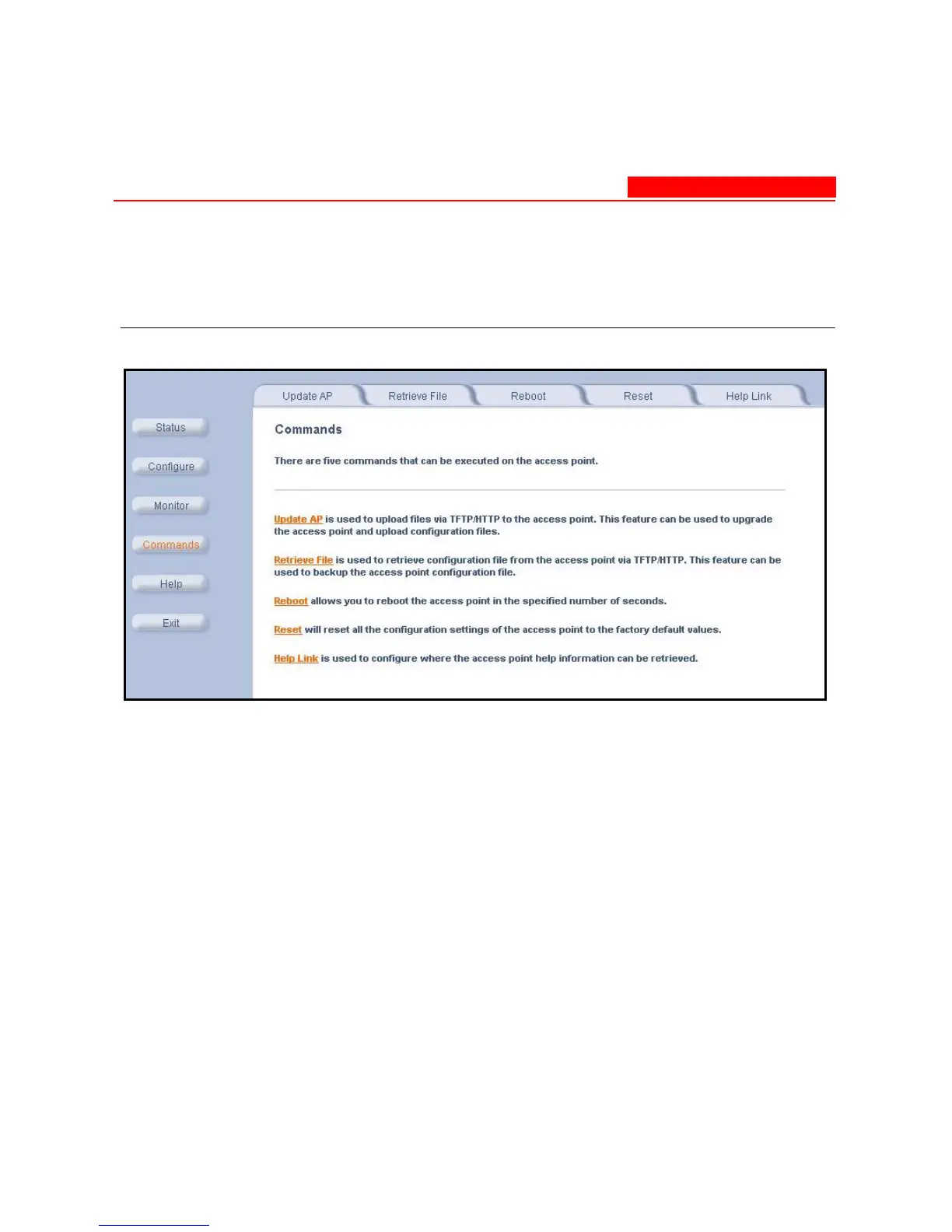
5. Click the Commands button located on the left-hand side of the
screen.
Figure 6-2. Commands Main Screen
6. Click the tab that corresponds to the command you want to issue.
For example, click Reboot to restart the unit.



 To Next Page