Hardware Installation
2-8 Avaya Wireless AP-3 User’s Guide
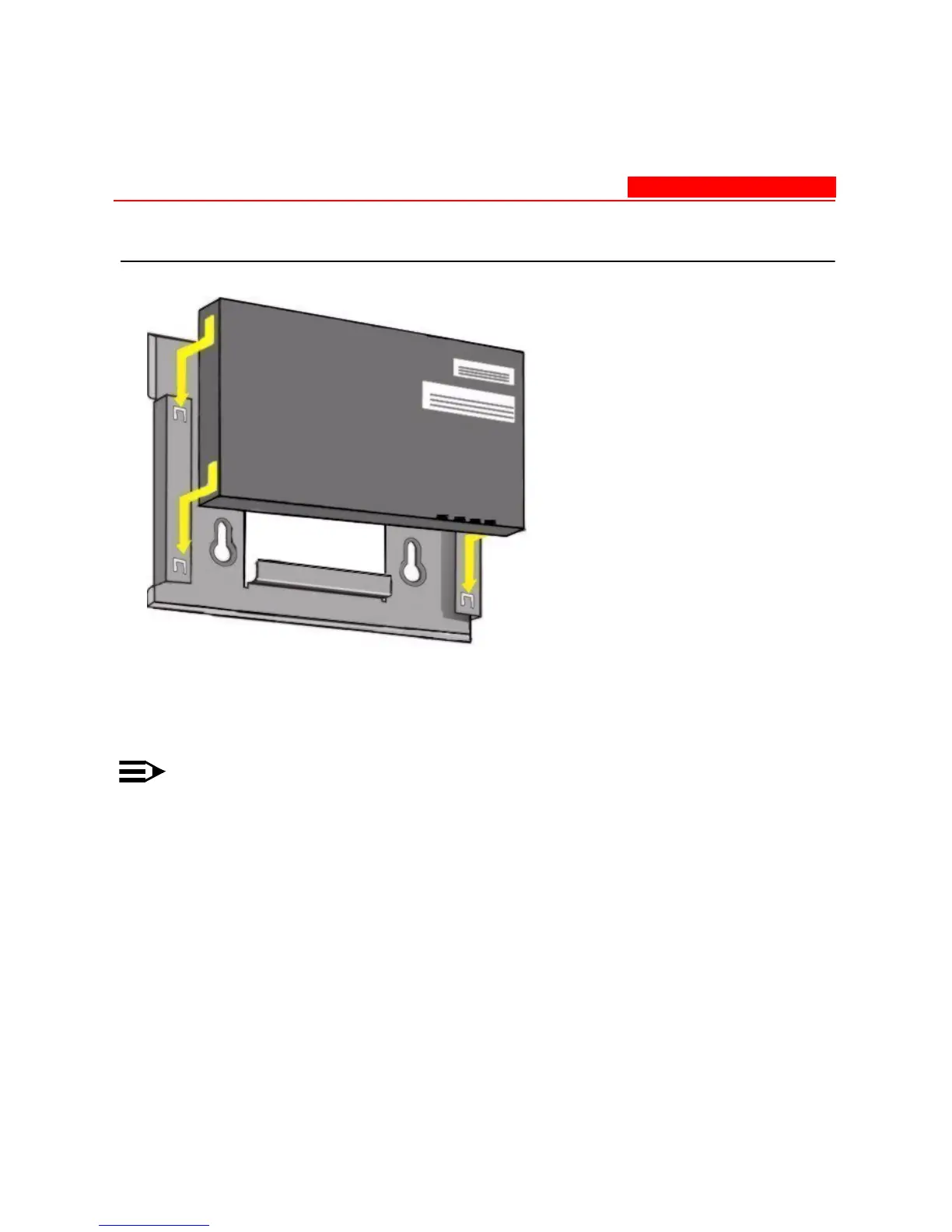
Figure 2-1. Insert Module into Mounting Bracket
2. Slide an 802.11b, 802.11b/g wireless card, or 802.11a card with
antenna adapter (not included in the kit) into Slot A or B.
NOTE:
The 802.11a wireless card with antenna adapter will only fit in Slot
A.
3. Slide an 802.11b or an 802.11b/g wireless card (included in the kit)
into Slot A or B.



 To Next Page