Procedure
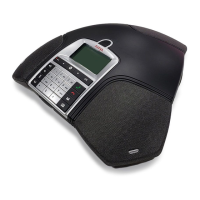
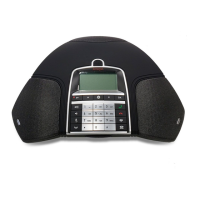
1. On the B199 Conference Phone screen, tap Settings > Bluetooth > Pair with device.
The LEDs start flashing blue, and the phone displays the following message: This phone
is now discoverable as “<Phone Name>”.
The time-out value for discoverable mode is 120 seconds.
Tip:
Tap Cancel to cancel pairing, for example, if you do not want to make the phone
discoverable. In this case, you return to the Bluetooth menu.
2. On your Bluetooth device, find B199 Conference Phone in the list of devices available for
Bluetooth connection and tap the phone name.
B199 Conference Phone establishes the connection with the Bluetooth device and displays
the Bluetooth icon and one of the following messages:
• If B199 Conference Phone retrieves the device name from your Bluetooth device, it
displays Connected to <your Bluetooth device name>. For example,
Connected to My Smartphone.
• If B199 Conference Phone does not retrieve the device name from your Bluetooth
device, it displays Connected to <your device Bluetooth address>. For
example, Connected to 00:11:22:33:FF:EE.
Note:
B199 Conference Phone is not visible in the Avaya
®
Conference Assistant application
while the conference phone and the Bluetooth device are in the connected state.
Related links
Basic settings description on page 34
Connection between paired Bluetooth devices
Connection
After you pair B199 Conference Phone and your Bluetooth device, the two devices establish the
connection.
Disconnection
The connection ends if you manually disconnect B199 Conference Phone from the Bluetooth
device or if the distance between the devices does not allow to maintain the communication.
When the Bluetooth device ends the connection, B199 Conference Phone displays the following
message: Disconnected and then stops displaying the Bluetooth icon.
Connectivity
August 2020 Using Avaya Conference Phone B199 42
Comments on this document? infodev@avaya.com


 To Next Page