Example 4: Adding suffixes
If the dialed number ends with the fixed suffix number, the phone sends out your dialed phone
number adding suffix number automatically. Configure the dial peer settings as follows:
Field Value
Number
138T
Destination
Port
Alias
Suffix
0088
Deleted Length
With this configuration, when you dial 1383322, the device sends 13833220088.
Example 5: Deleting prefix numbers
If the dialed number ends with the fixed prefix number, the phone sends out your dialed phone
number deleting the prefix number automatically. Configure the dial peer settings as follows:
Field Value
Number
9T
Destination
Port
Alias
del
Suffix
Deleted Length
1
With this configuration, when you dial 98322, the device sends 8322.
Basic settings page
To access this page, click the Line tab and then click Basic Settings. From this page, you can
configure basic settings for lines and upload the TLS certification file.
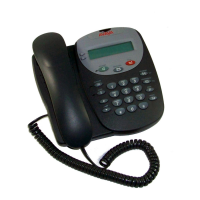
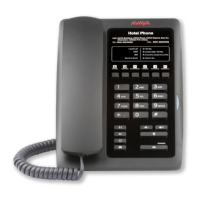
The following table describes SIP and STUN settings to be configured for the Avaya H239 and
H249 phones:
Option
Description
SIP Settings
Registration Failure Retry Interval Retry interval of SIP registration when registration
fails.
SIP Invite Restrict Use this option to restrict SIP invites.
Table continues…
Web portal navigation
October 2019 Installing and Administering the Avaya H239 and H249 Phones 30
Comments on this document? infodev@avaya.com


 To Next Page