Chapter 6: Avaya H249 phone screen
customization
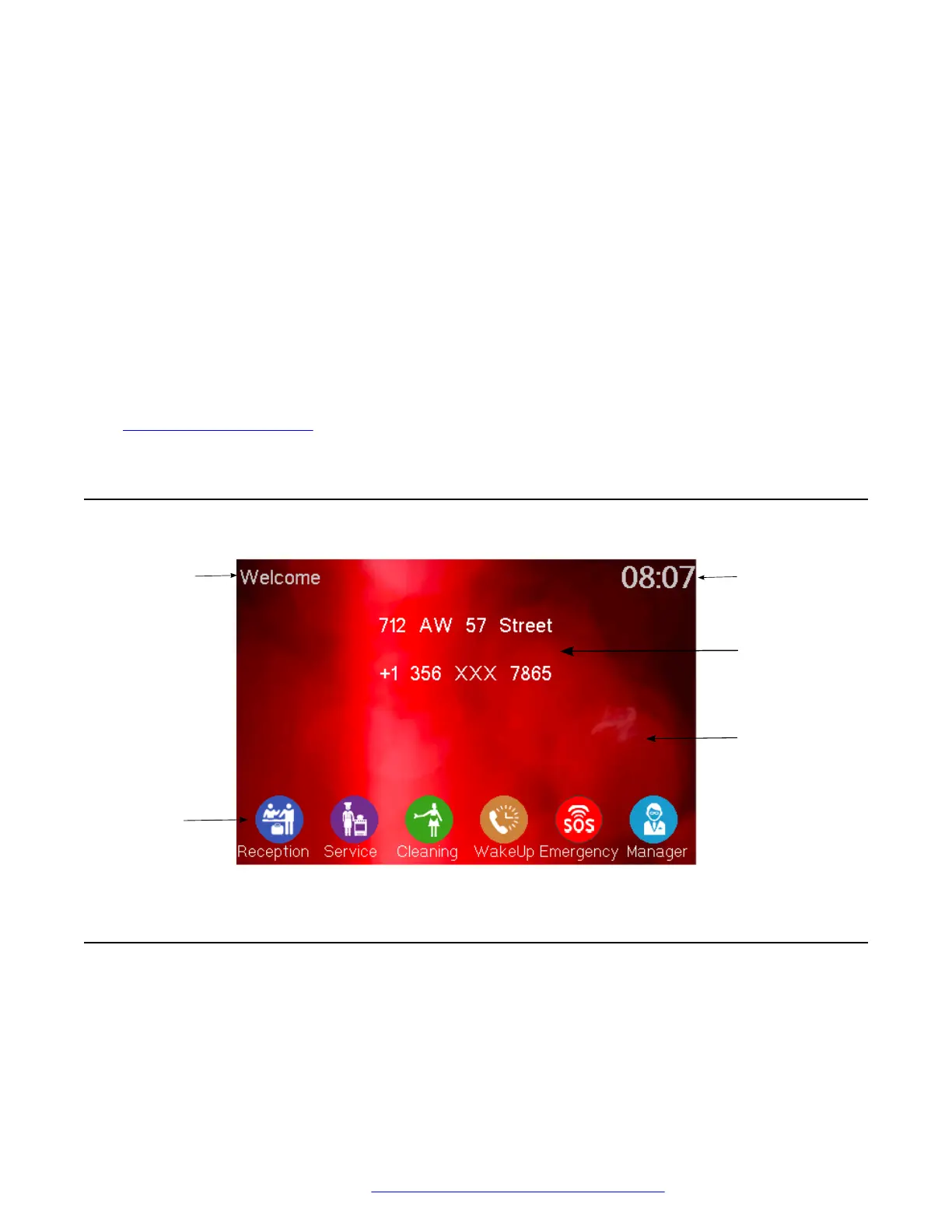
You can use the web portal to customize what is displayed on the H249 phone screen. The H239
phone does not have a screen. Therefore, this chapter is only applicable for H249 phones.
Related links
Accessing the web portal on page 15
Screen navigation
Greeting
Icons
Time
Address and
telephone details
Screen picture
Obtaining a screen capture for the H249 phone
About this task
You can download the current phone screen as a picture on your computer. The downloaded
picture includes the icons, logo, and time displayed on the phone screen.
October 2019 Installing and Administering the Avaya H239 and H249 Phones 49
Comments on this document? infodev@avaya.com


 To Next Page