51
n
If you are not going to replace the drive immediately, close the drawer so that correct airflow and cooling are
maintained in the Engine.
Inserting a Drive (E5)
To insert a drive:
1. Open the appropriate drawer.
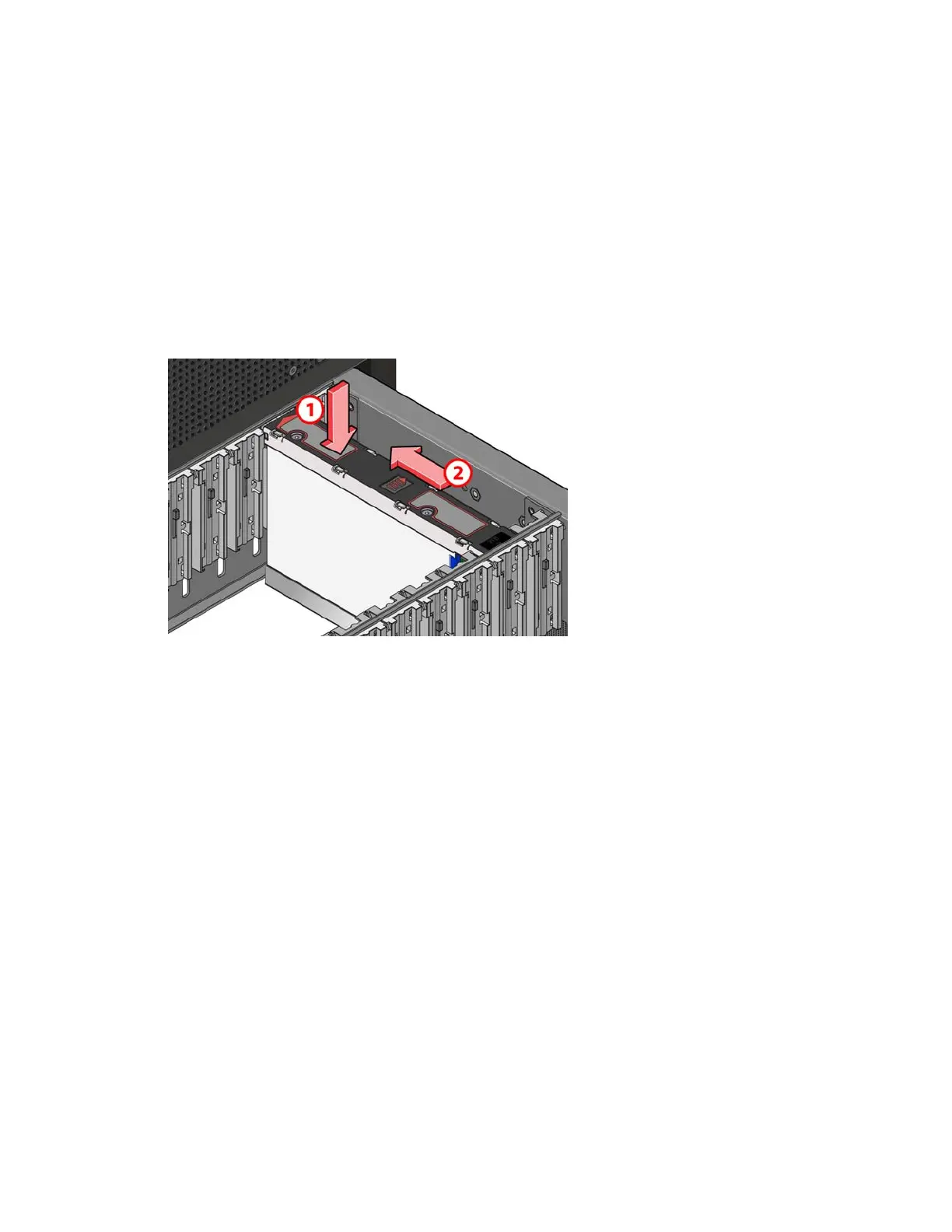
2. Lower the drive into the slot with the drive capacity label facing towards you.
3. Push the drive downwards and hold it down while sliding the drive carrier plate in the direction shown in the
following figure. This locks the drive in place.
Make sure the drive is securely locked into place before closing the drawer.
4. Close and lock the drawer.
Adding Media Packs
Within the limits proscribed by your system configuration, you can add Media Packs to an existing, running
system.
As a best practice, add Media Packs with the same capacity drives as the other Media Packs in your system.
However, if you want to increase the total capacity of a Storage Group, you can add larger Media Packs and
remove the smaller Media Packs. After you remove the last smaller-capacity Media Pack, the Storage Group
expands to use the extra space. See the Avid NEXIS Administration Guide for more information.
If your system contains spare drives and you plan to add more drives of a different capacity, Avid recommends
temporarily removing the spare drives before installing the new Media Pack drives. This prevents the system from
assembling a Media Pack from mixed drive sizes, resulting in a Media Pack capacity based on the smallest of its
drives.
Adding a Media Pack to an Engine (E4)
The Avid NEXIS | E4 Engine can contain up to two Media Packs of 10 drives each, and two optional spares. Two
drive slots are reserved for the system drives. If your Avid NEXIS | E4 contains only one Media Pack, you can add
another, inserting the drives in any order, in any available slots. The system combines any 10 unassigned drives
into a Media Pack automatically.



 To Next Page