Chapter 2: Installation and Configuration 15
Clock Reference, Video Ref, and
Video In Settings when
Importing Avid Video
When you import Avid video media into a session,
Pro Tools automatically sets the Clock Reference,
Video Reference rate, and Video In format appro-
priate for the imported media.
MachineControl
Configuration
If you are using MachineControl, do the following
to establish basic communication.
To configure MachineControl:
1 Choose Setup > Peripherals, and click the Syn-
chronization
tab.
2 In the Synchronization page, make sure the
SYNC HD is the current Synchronization de-
vice, and serial port on your HDX or HD Native
hardware is the selected port.
3 Click the Machine Control tab.
4 Enable and configure options for 9-pin Machine
Control
or 9-pin Remote.
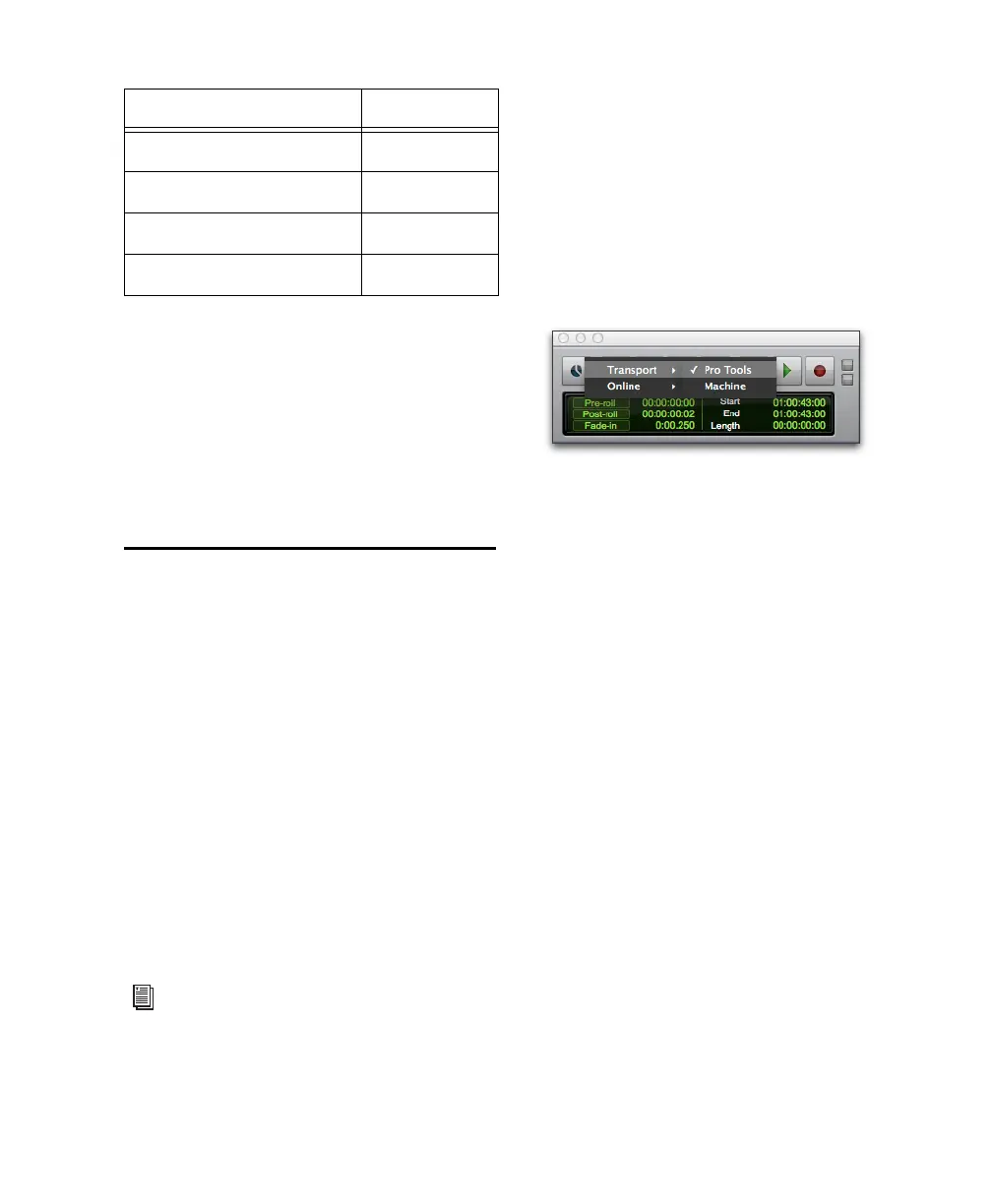
Selecting the Transport Master
Right-click the Online button in the Transport to
select the Transport Master. The Transport Master
is the device that will be controlled by the
Pro Tools transport. Choices include Pro Tools
and any other devices or modes you have enabled
in the Synchronization or Machine Control tabs of
the Peripherals dialog.
1080p - 30 NTSC
1080p - 50 PAL
1080p - 59.94 NTSC
1080p - 60 NTSC
For more information, see the Machine-
Control Guide.
Video Reference (HD) Rate Video In Format
Pro Tools Transport master



 To Next Page