Chapter 4: Using Pro Tools | SYNC HD 31
SYNC HD will only output rates within the limits
of the current sample rate. If a varispeed value re-
sults in an output frequency (sample rate) that is
below or above the limits for the current sample
rate, the frequency display turns red.
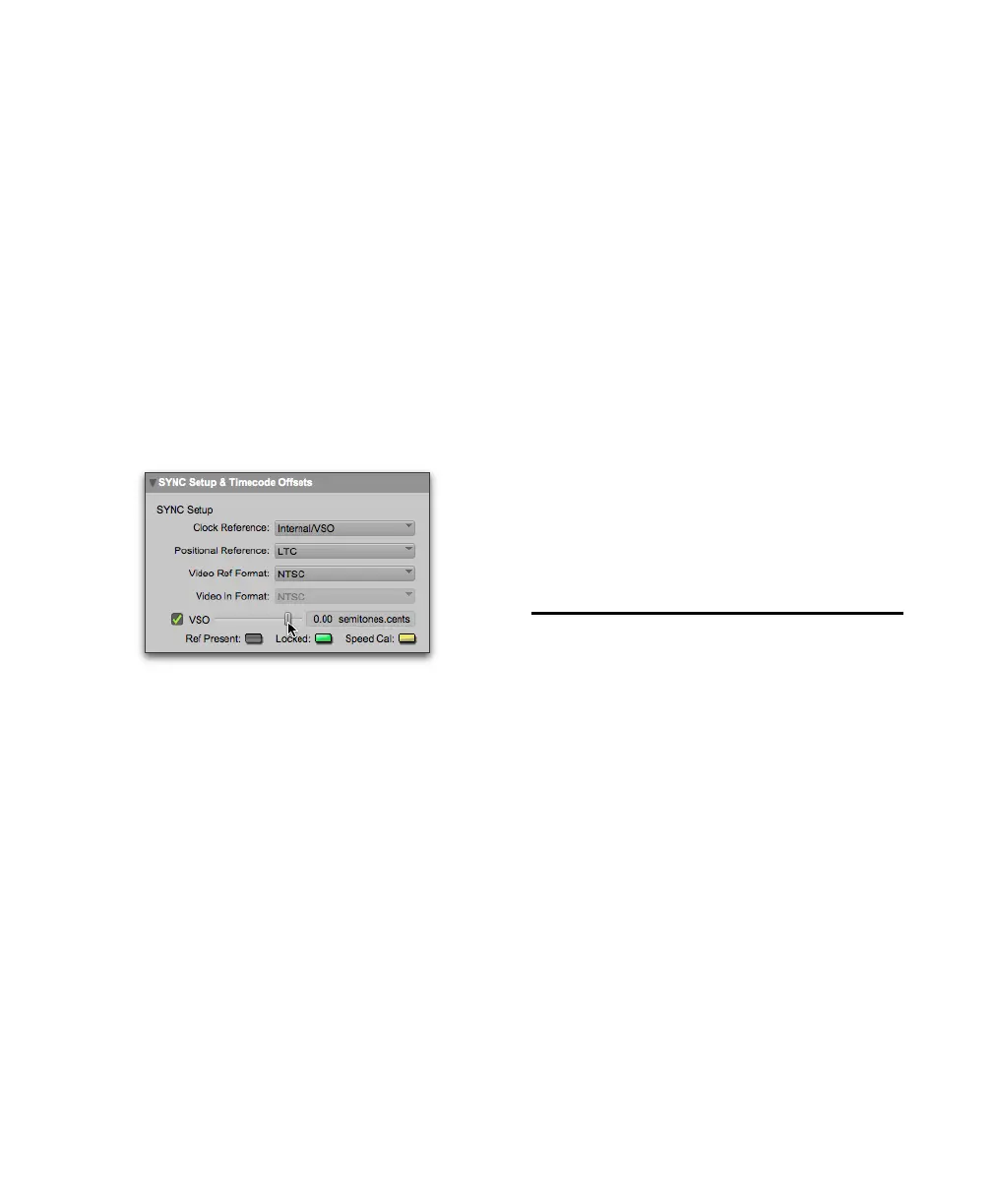
To varispeed the SYNC HD internal clock from
Pro Tools:
1 In the Sync Setup section of the Session Setup
window, make sure the
Clock Reference is set to
Internal/VSO.
2 Select the VSO option.
3 Use the on-screen slider to adjust the varispeed
value in semitones and cents.
Regulating Output Sample Rate with
Pitch Memory
Pitch Memory holds the output sample rate steady
even when the Clock Reference is unavailable or
has gone out of lock range.
When Pitch Memory is not enabled, the output
sample rate would return to the nominal sample
rate setting (for example, exactly 44.1 kHz) when
the Clock Reference disappears or goes out of lock
range.
When Pitch Memory is enabled, Pro Tools con-
tinues to play and record at the resolved sample
rate even if the Clock Reference source disappears.
SYNC HD retains the Pitch Memory setting,
even when the unit is powered off and on again,
until you change it.
To configure Pitch Memory using Pro Tools:
1 Choose Setup > Peripherals and click Synchro-
nization
.
2 Select the Pitch Memory Enabled option.
3 Click OK.
To configure Pitch Memory using the front panel
controls:
1 Press Set, and use the Up and Down switches to
display Pitch Hold (“PICH HLd”).
2 Press Set.
3 Press the Up or Down switches to toggle be-
tween On and Off.
4 Press Set.
Positional Reference
and Options
The following sections provide additional infor-
mation for each available Positional Reference for-
mat.
Linear Timecode (LTC)
LTC is often striped onto an ATR or VTR audio
track. Professional VTRs typically have an address
or cue track, intended for LTC. If you are working
with a standard audio tape, you’ll almost certainly
be working with LTC. If you’re working with a
videotape, you may be able to work with either
LTC or VITC, or both.
Variable Speed Override controls (Pro Tools)



 To Next Page