LICENSED SOFTWARE AP
-67-
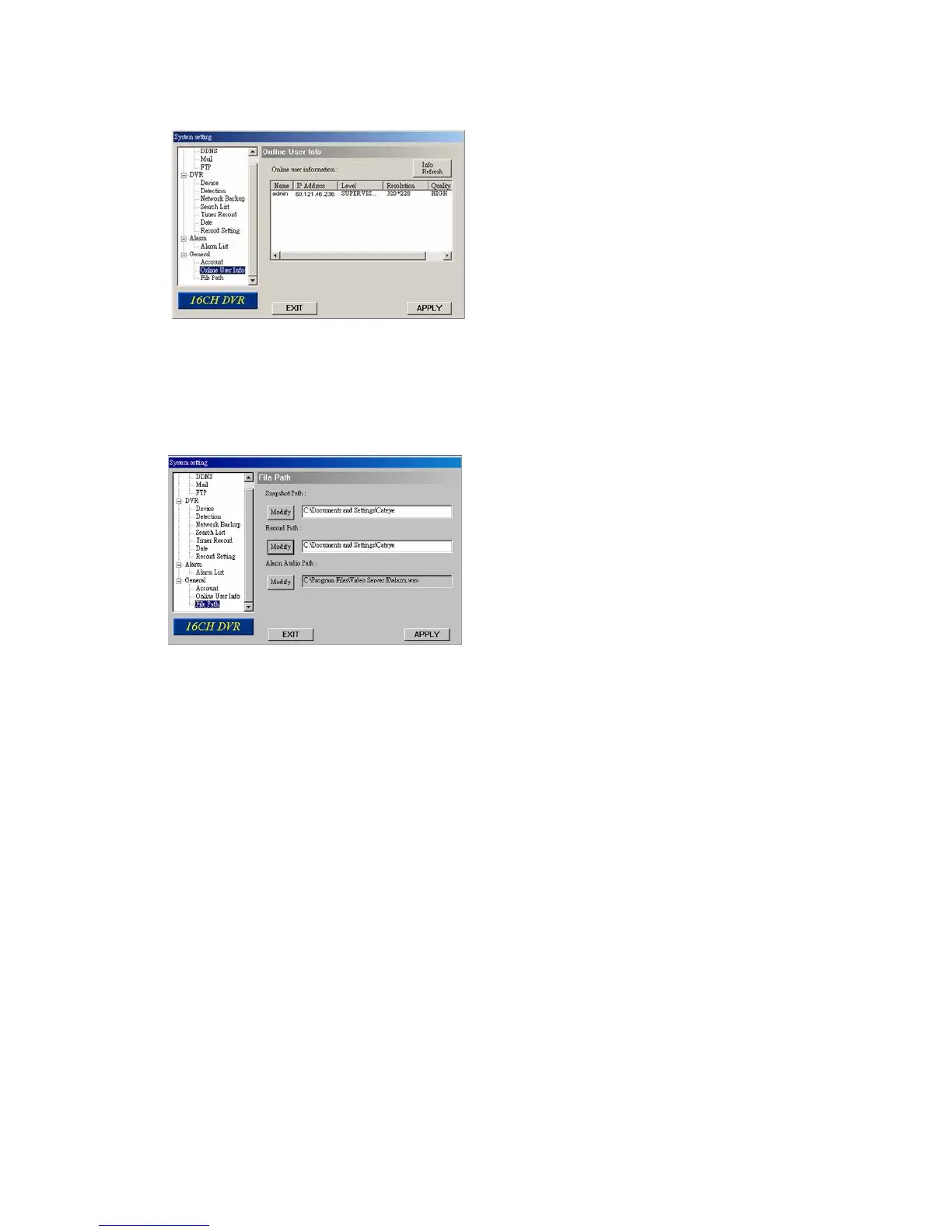
(2) Online User Info
In “General” “Online User Info”, you can view the current online user account information. This view can be
updated by pressing “Info Refresh” button.
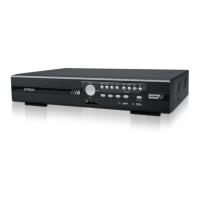
(3) File Path
In “General” “File Path”, you can view and change the file path for saving snapshots and recorded data, and
customize the alarm audio file in “WMV” format.
To change and customize the file path, press “Modify”.



 To Next Page