USER MANUAL 19
__________________________________________________________________________________________________________________
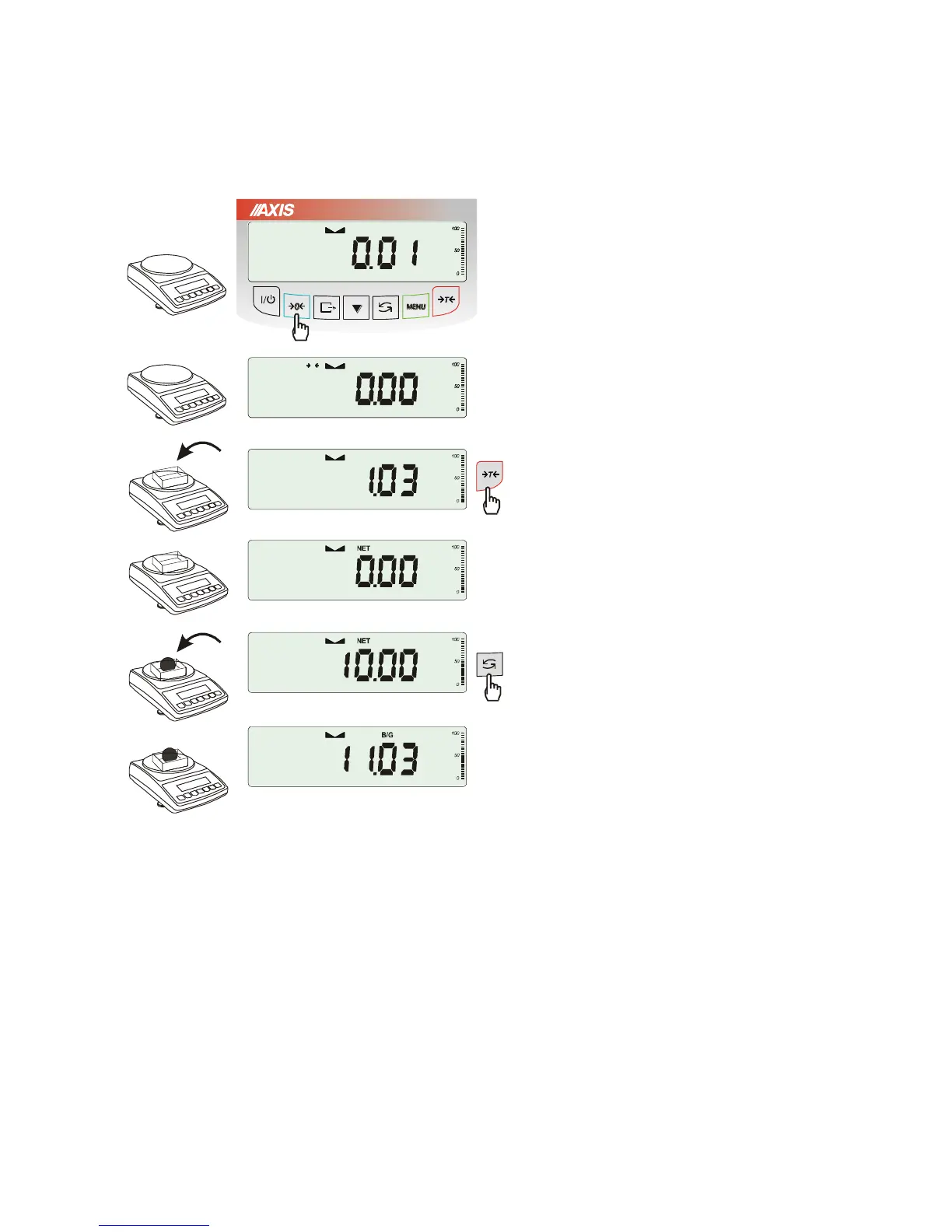
14. Weighing with tare
If the scale is not loaded and
0
indicator
doesn’t indicate, press
0
key.
Zero indication and
0
indicator mean that
the scale is ready to work.
After putting container (package) tare the
scale using
T
key. NET indicator will
show up.
Put on weighted object and readout net weight
(NET indicator shows that scale indicates net
weight).
In order to readout gross weight press
key
(B/G indicator shows that scale indicates gross
weight). Press again
key in order to come
back to net indications.



 To Next Page