USER MANUAL 37
__________________________________________________________________________________________________________________
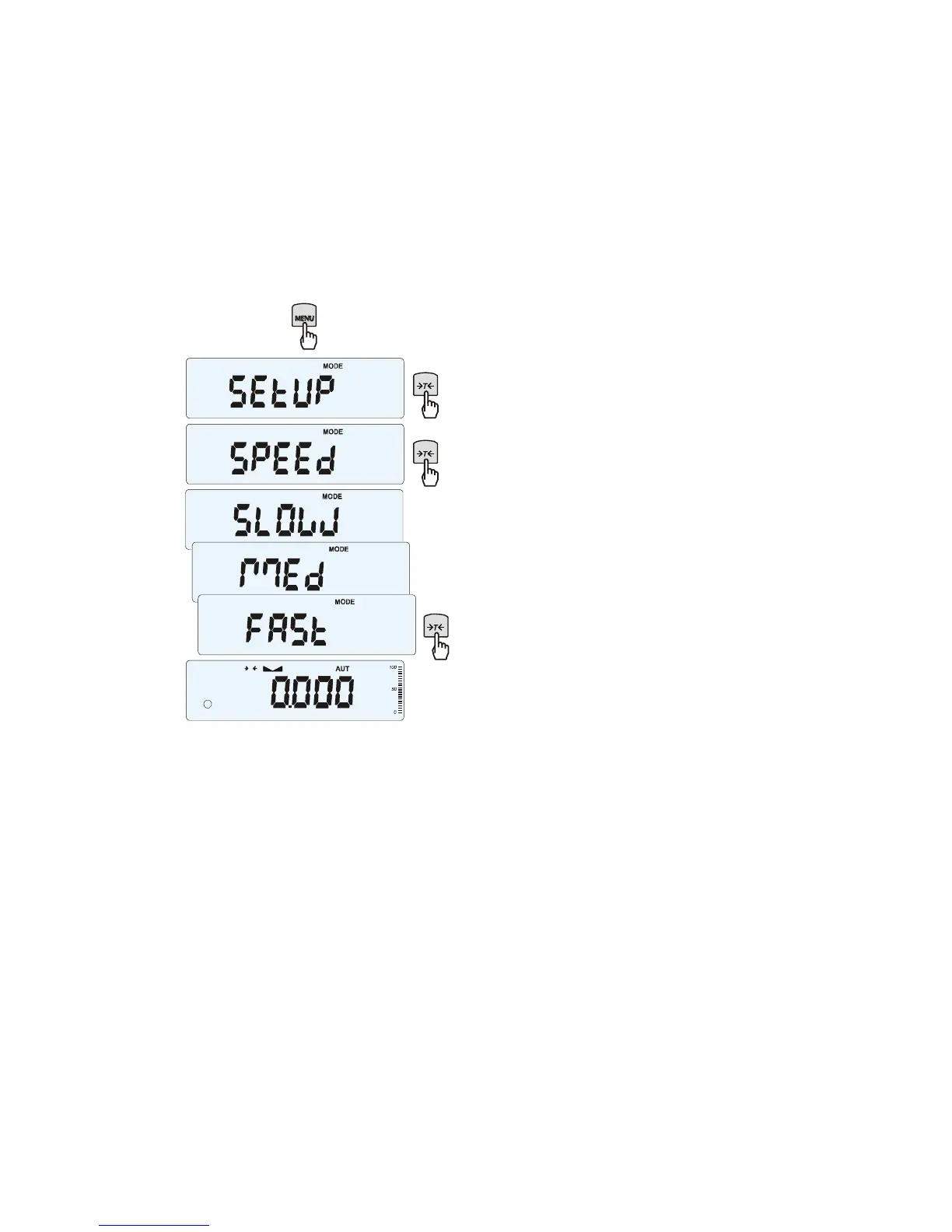
17.6 Weighing speed selection (SPEED)
Option enables to change weighing speed, that enables better performance thanks to adaptation to
environment conditions. In particular, if user chooses FASt speed setting then small weight portion
batching for eg. in pharmacy is possible.
To turn on the function use MENU key and
choose SPEEd option by using
T
key,
then select one of these options:
- SLOW – slow measurement (interferences),
- MEd – medium,
- FASt – fast (batching),
- DEFAULt – back to factory setting.
Attention:
When setting fast speed check if weighing
results are stable. Otherwise use slower
option.



 To Next Page