USER MANUAL 21
__________________________________________________________________________________________________________________
16. Menu navigation rules
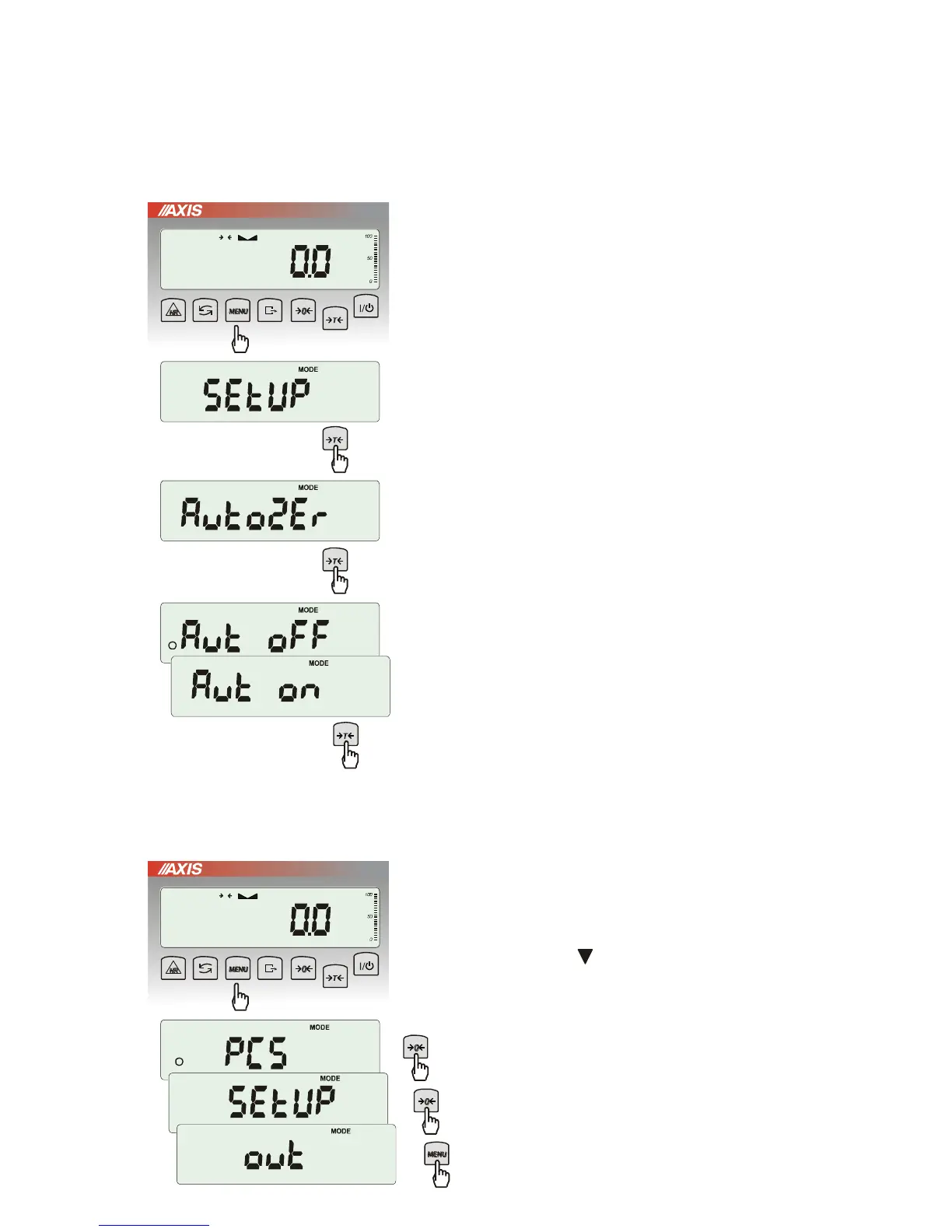
Choosing menu options:
Scale menu shows up after pressing Menu
key. First menu position is displayed for about
10 seconds. After 10 seconds successive
menu positions are displayed automatically.
Choosing menu position (option) is done by
pressing
T
key when it is displayed on
the screen.
After choosing position (option) usually several
options show up:
on – turning on selected option,
OFF - turning off,
out – out to menu.
Accelerated working with menu:
First menu position is displayed for about 10s.
User can change menu positions manually by
pressing key.
Immediate out to previous menu level is done
by using Menu key.



 To Next Page