USER MANUAL 45
__________________________________________________________________________________________________________________
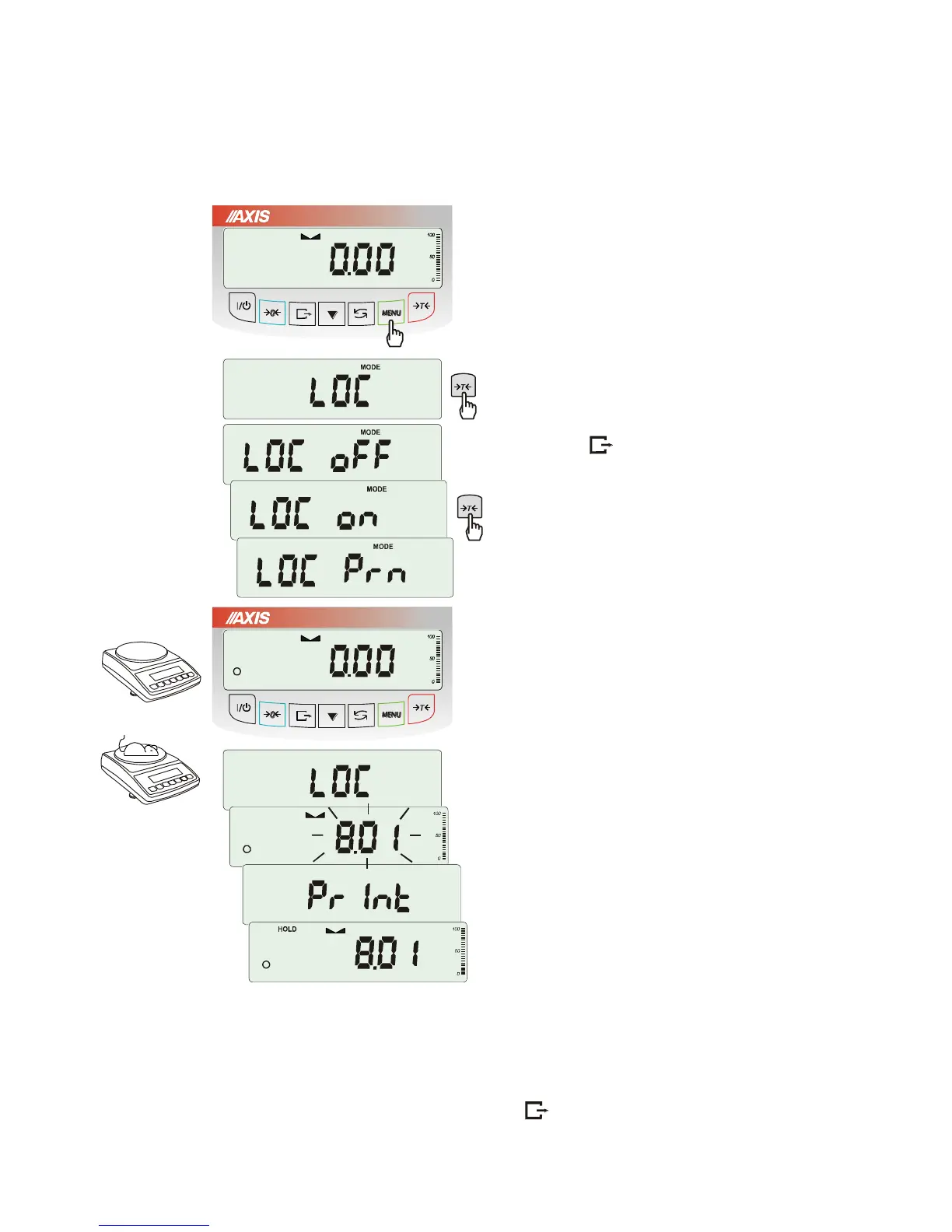
18.5 Weighing animals function (LOC)
The function allows weighing animal moving on the scale.
Press MENU key.
When LOC function is displayed press
T
key.
The following options appear on display
successively:
- LOC oFF – leave the function,
- LOC on – automatic weighing after loading the
scale,
- LOC Prn – the measurement initiated manually
by pressing key.
When LOC on is displayed press
T
key.
Tare the scale using
T
key if necessary and
place the animal on the pan.
Wait until the weighing result is averaged – scale
display blinks. Then scale will show stable
(averaged) result and will send it through serial
port.
The result remains on display for about 30
second.
Important notes:
1. The loads lower than Min value are not averaged.
2. In case when putting animal on scale takes more than 5s it is suggested to choose LOC PRN
option (measurement started manually by pressing key ).



 To Next Page