20 USER MANUAL
__________________________________________________________________________________________________________________
15. Scale menu
All scales except for basic metrological functions: weighing and taring, have many special functions and
configuration options.
In order to ease using functions user can
create his own (personalized) menu.
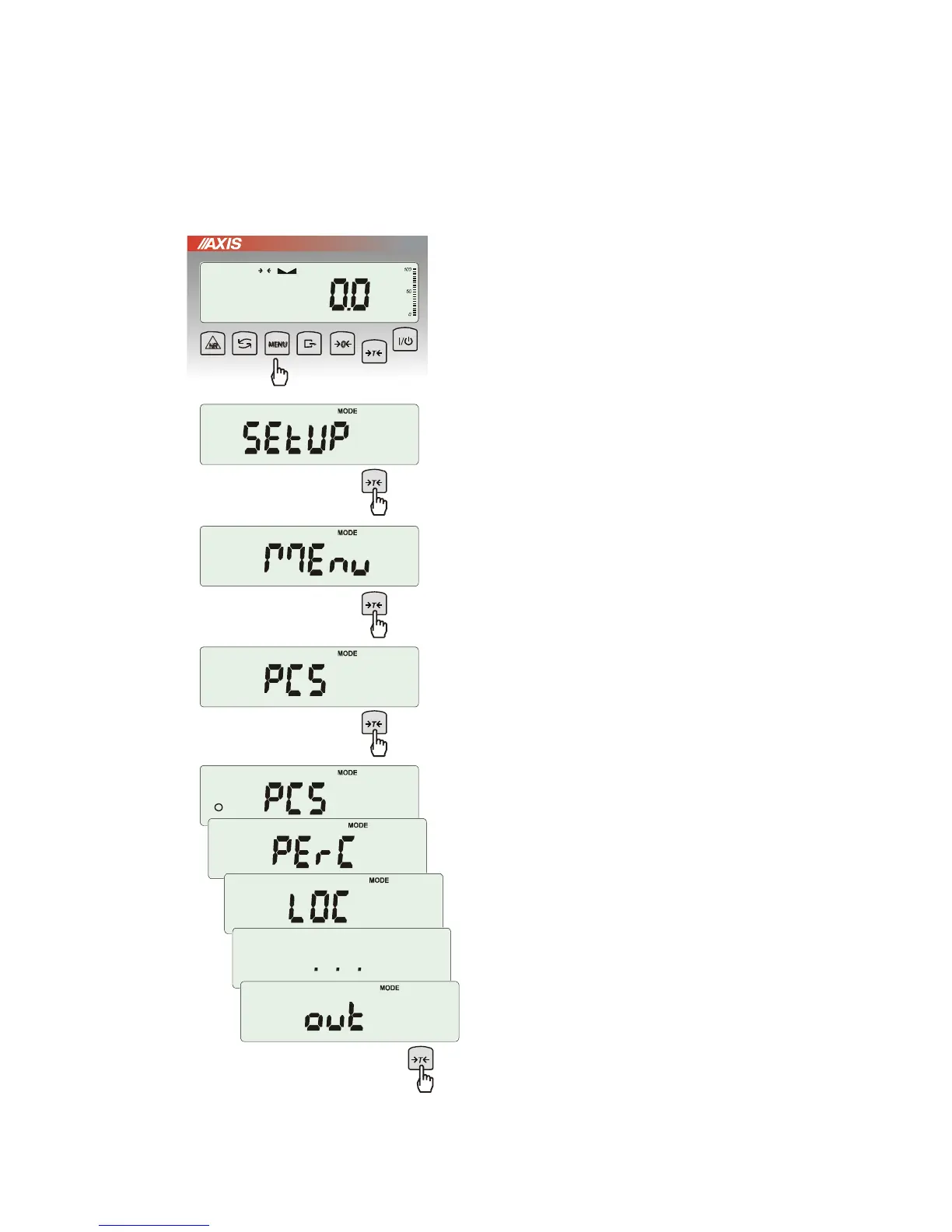
Creating personalized menu:
In „out of the box” scale after pressing MENU
key only SEtuP option (it contains all
configuration options) is available.
One of the configuration options is Menu that
is used to create personalized menu.
To add a function to personalized menu press
T
key when the function is indicating.
Chosen function is indicated with „o” sign on
the left side of display.
After adding all necessary functions press out
in order to come back to weighing mode. User
now after pressing MEnu key has access to
selected earlier functions and to SEtuP option.
dEFAULt option is used to set factory
settings.



 To Next Page